



Are you looking to sell your Dell laptop and get the most money out of it? Whether you’re upgrading to a newer model or have no use for your current one, there are factors that determine the resale value of your laptop.
If you’ve been contemplating selling your Dell laptop, there’s quite a bit to consider. Perhaps you’re looking to declutter, maybe you’re planning to upgrade to the latest model, or possibly your laptop is simply no longer serving its purpose. Regardless of your reason, one thing is certain: you want to get the most value out of your sale. This, however, requires some understanding and consideration of the factors that determine the resale value of your laptop.
In this guide, we’ll delve into the aspects that significantly impact the resale price of your Dell laptop. From its overall physical condition to the system specifications, from the model’s popularity to the inclusion of original packaging and accessories – each of these elements plays a part in the final resale value. Our aim is to empower you with the knowledge needed to ensure you get the best possible return on your sale. Read on and let’s explore this together.
Factors that Influence Dell’s Price
We all want to get the most for what we no longer need or use, especially when it comes to technology. If you’re planning to sell your Dell laptop, you need to know the factors that influence its resale value. Here are some of the essential factors that you should know:
- Model and Age: The age and model of your Dell laptop are the most crucial factors in determining its resale value. If your laptop is an older model with outdated specifications, its resale value will be much lower than that of a newer model with up-to-date features.
- Condition: Next to model and age, the condition of the laptop is also essential. Laptops in good condition with no major defects, scratches, or dents will typically sell for more than laptops in poor condition. Buyers will always prefer a laptop that appears almost new.
- Specs: The specifications of your laptop can affect its resale value. Higher-end specs such as the processor, RAM, and storage capacity will get you more money than laptops with low-end specs.
- Demand: The demand for the specific model of your laptop can also determine its resale value. Some laptop models are more popular among buyers than others, and it’s essential to do some research to know which models have a high demand.
How to Maximize Your Profit from Reselling a Dell Laptop?
Now that you know the factors that affect the resale value of your laptop, it’s time to learn some ways to maximize your profits:
- Clean the Laptop: One of the easiest and most effective ways to increase your laptop’s resale value is to clean it. Make sure to remove all dust, fingerprints, and other smudges. An almost new-looking laptop can increase its worth and make your listing stand out from others.
2. Update Software: Updating your laptop’s software before selling it can also add more value to your laptop. It’s essential to make sure the latest operating system is installed with all the necessary hardware drivers.
3. Delete Personal Information: Before selling your laptop, don’t forget to remove all valuable personal data such as files, photos, your accounts, and passwords. Wipe your laptop clean of any personal information that you wouldn’t want a stranger to know.
4. Sell through a Reputable Website or Retailer: Finally, the most crucial factor in boosting your profits is to sell your laptop through a reliable and reputable seller. Look for well-established online retailers or websites, and make sure to choose the safest and most reliable platform when posting your product.
Selling Your Old Dell Laptop on Gadget Salvation
Selling your old Dell laptop on Gadget Salvation is a straightforward process that can maximize your return. Here’s a step-by-step guide:
- Visit the Gadget Salvation Website: The first step is to navigate to the Gadget Salvation website.
- Identify Your Laptop Model: Click on “Sell” and select “Laptops” from the dropdown menu. You’ll then be directed to a page where you can identify your Dell laptop model. Type in the model number, or use the filters provided to narrow down your search.

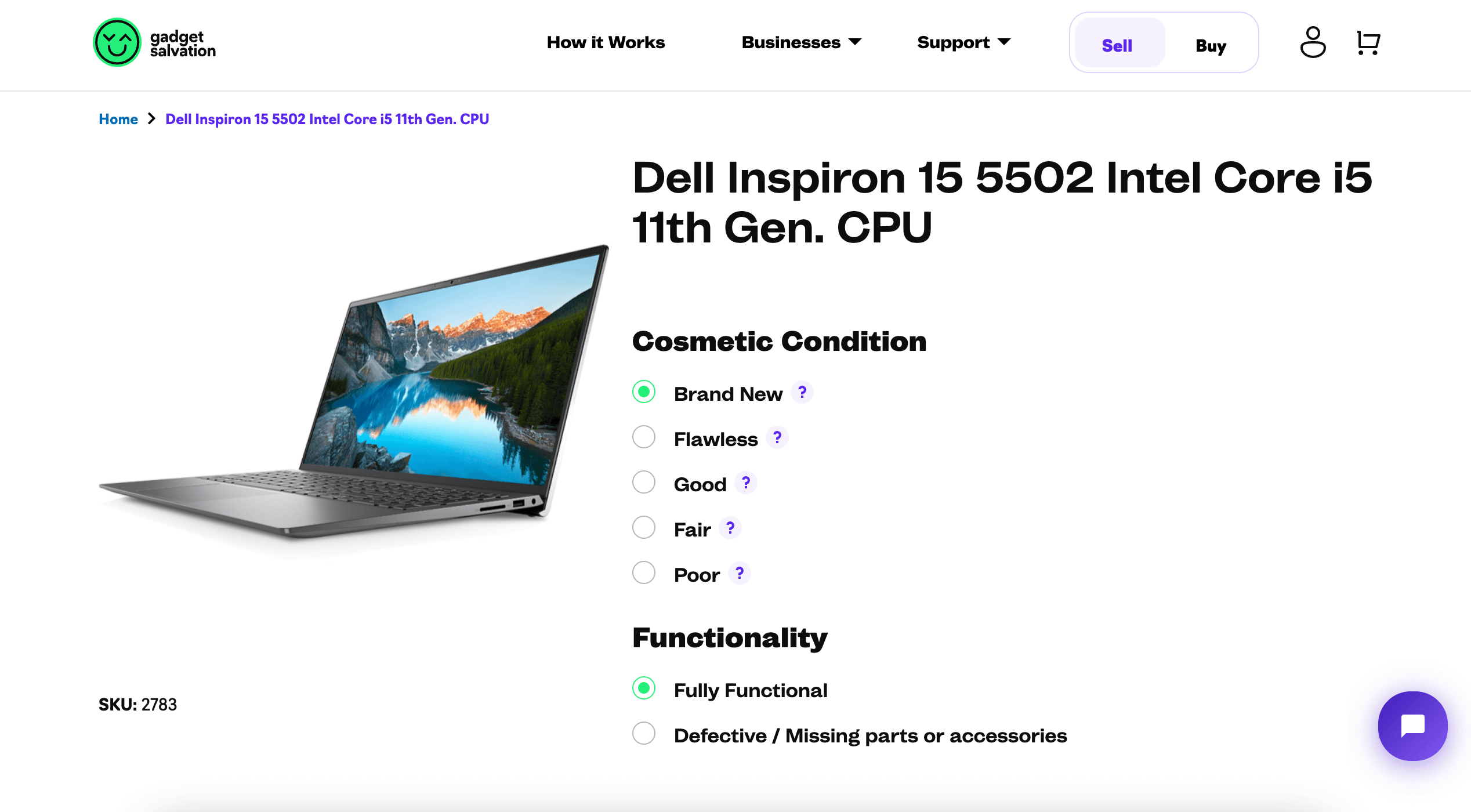
3. Answer Questions About Your Laptop’s Condition: After selecting your model, you’ll be asked a series of questions about the condition and functionality of your laptop. Be as honest and accurate as possible because this will shape the offer you receive.
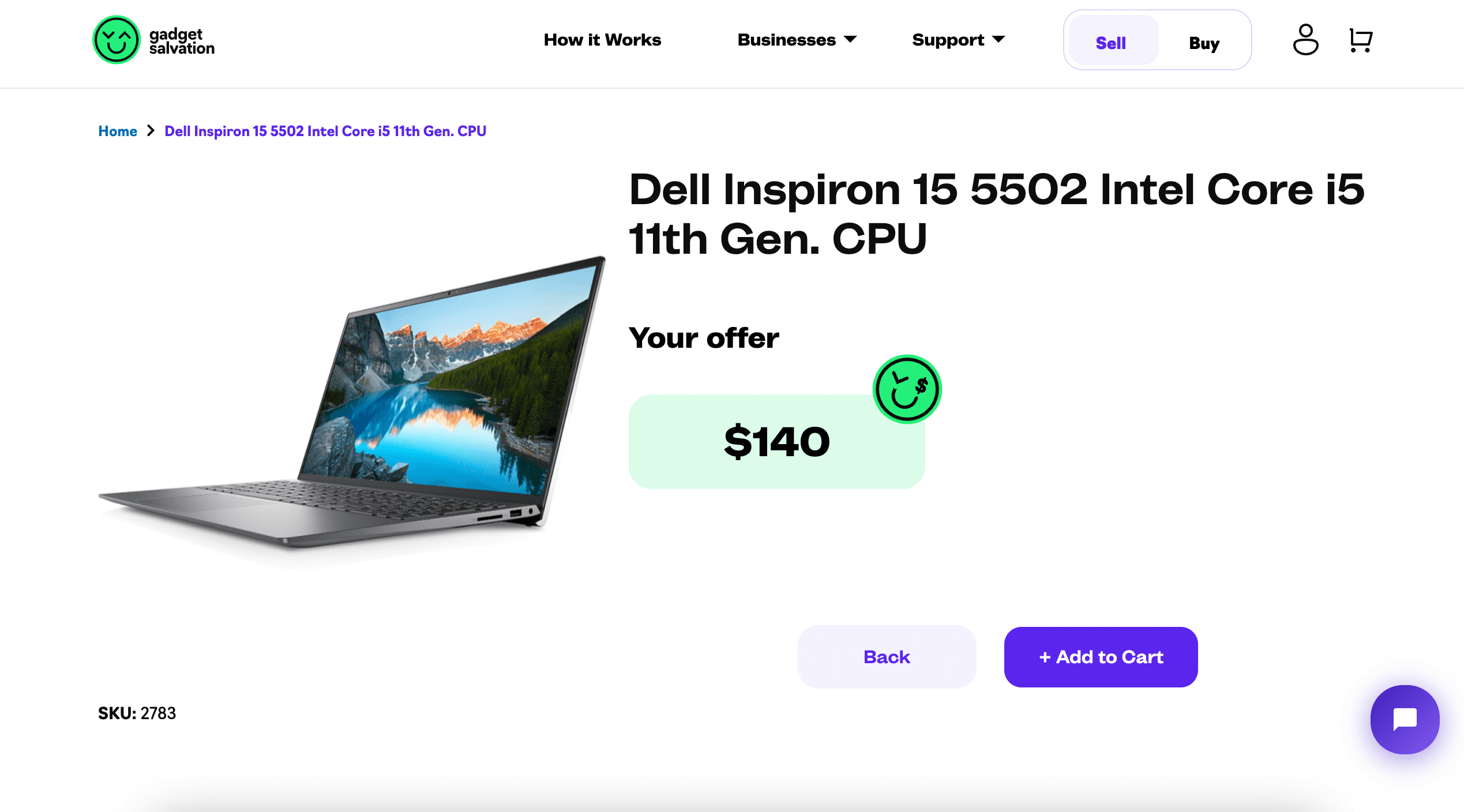
4. Receive an Instant Quote: Based on the information you provided, Gadget Salvation will give you an instant quote. If you’re happy with the offer, you can choose to proceed.
5. Ship Your Laptop: Gadget Salvation provides a prepaid shipping label, so you can pack your laptop securely and send it off. Make sure to remove any personal data before shipping.
6. Get Paid: Once your laptop is received and its condition is verified, you’ll receive payment via your chosen method (check, CashApp, PayPal, Venmo, or Zelle).
Remember to be honest about the condition of your laptop to avoid any discrepancies between your description and its actual state. This will ensure a smooth process and help you get the most out of your old Dell laptop.
Conclusion
In summary, selling a Dell laptop can be a profitable venture if you have an essential understanding of the factors that determine its resale value. By keeping your computer in good condition, updating its software, deleting personal information, and choosing the right seller, you can recover its maximum salvage value. So when you’re ready to sell your Dell laptop, make sure to keep these tips in mind to maximize your profits.