


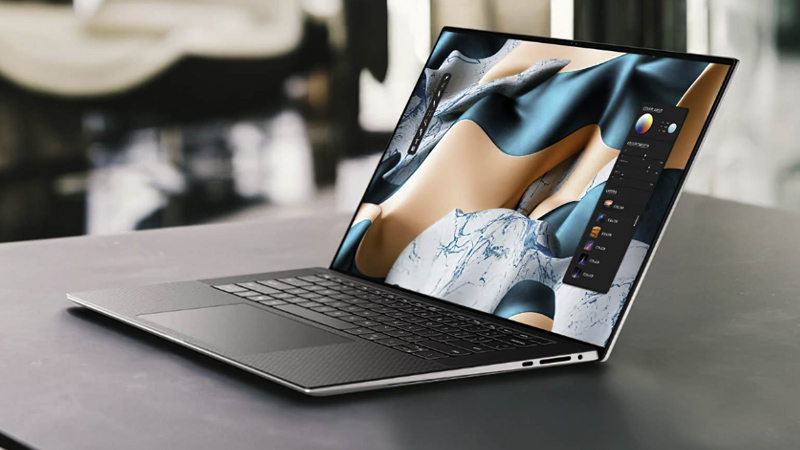
Looking to upgrade your Dell laptop or simply need some extra cash? Trading it in for cashback is a convenient and sustainable way to get rid of a used computer. However, to ensure a smooth selling process and maximize your return, it’s crucial to be prepared. This guide will walk you through the essential steps for a successful Dell laptop trade-in.
1. Gather Accurate Information About Your Dell Laptop
Before you even think about getting an appraisal, arm yourself with detailed information about your Dell computer. This will ensure you receive the most accurate pricing from online resellers. Make sure to note down the following:
- Service Tag (Serial Number): This unique identifier is specific to your laptop.
- Model Number: This determines the specific series and configuration of your Dell laptop. Service Tag information will help you identify the model.
- Operating System: Specify the version of Windows or other OS the laptop currently runs.
- RAM: The amount of installed Random Access Memory (e.g., 8GB, 16GB).
- Processor Details: Find out whether your Dell is powered by AMD or Intel, which specific processor (Ryzen 5, Intel Core i7, etc.), and what generation it is.
- Storage: Specify the type and size of your storage (e.g., 256GB SSD, 1TB HDD).
Understanding Model vs. Serial Number: Don’t confuse these two! The model number (e.g., Dell Inspiron 15 5000) identifies the laptop series, while the serial number is unique to your specific device model (Inspiron 15 5779, for example). If unsure, check our How to Find Dell Model Number post with images and practical examples.
2. Backup Data and Reset Your Dell
Once you have the necessary information, the next crucial step before your Dell laptop trade-in is to protect your personal data.
- Backup Your Important Files: Save all your valuable information before getting rid of your Dell. You can use an external hard drive or cloud storage services like Google Drive or Dropbox. Open your control panel, locate the files you want to keep, and copy/paste them to your chosen backup location.
- Factory Reset Your Dell Laptop: This will completely erase all your data and restore your laptop to its original factory settings, ensuring the privacy of your information for the next user.
How to Factory Reset Your Dell Laptop:
- Press the Windows logo key and the “i” key simultaneously.
- Click on Update & Security.
- Select Recovery from the left-hand menu.
- Under Reset this PC, click the Get started button.
- Choose Keep my files if you want to save some personal files, or select Remove everything to erase all data.
- Follow the on-screen instructions to complete the reset process.
3. Honest Condition Assessment
To get the most realistic offer on your Dell laptop trade-in, you need to provide a fair assessment of its cosmetic condition and functionality. Reputable buyers will typically ask you to grade your device based on the following categories:
- Excellent (Like New): Shows minimal to no signs of wear.
- Good (Shows Signs of Normal Wear): May have minor scratches or light marks from regular use.
- Fair (Has Significant Scratches): Noticeable surface scratches, scuffing, top coating chips, etc.
- Poor (Has Physical Damage): Large cracks, bent chassis, etc.
- Broken (Hardware Damage): The device is non-functional or has broken hinges, damaged display, etc.
Honesty is Key: Be truthful when evaluating the condition of your pre-owned Dell laptop. If you miss important details, the buyer will likely identify them during initial inspection and use, potentially leading to a lower final price.
Maximize Your Trade-In Value: If your Dell laptop is in good condition (minimal wear), fully functional, and includes all original accessories (charger), you will likely receive a better price. Also, take the time to clean your laptop thoroughly, removing any dirt, dust, fingerprints, or stickers. A well-maintained device presents better and can influence the perceived value.
4. Compare Prices
Don’t settle for the first offer you receive! Take the time to explore different reseller websites and compare prices for your specific used Dell laptop model and condition.
Use eBay as a reference to get an idea of the average resale price for your specific model. Look up what other sellers are asking for the same computer in a similar pre-owned condition. Check sold listings to see how much buyers are actually willing to pay for your Dell.
If you value your time and efficiency, consider our online buyback platform. We at Gadget Salvation pride ourselves on offering fair estimates for Dell laptop trade-ins. And since the business operates within the US, we also provide prepaid postage labels to all our sellers. All they need to do is package their gadget well, drop it off at the designated carrier, and wait to get paid. We process all incoming shipments and send out funds within two workdays of delivery.
5. Consider Your Preferred Payment Method
You’ll encounter various payment options when you trade in your used Dell. Some places (like Best Buy) might offer gift cards or store credit, while others provide cash payments. Consider your reasons for selling:
- Upgrading: Store credit might be suitable if you plan to purchase a new device from the same brand/store.
- Saving Money: Gift cards can help offset the cost of other purchases from that retailer.
- Need Cash: If your primary goal is to get extra funds, prioritize platforms that offer direct cash payments.
Filter your search for Dell laptop trade-in platforms based on your preferred payment method to streamline the process.
6. Choose the Right Platform to Trade In Your Dell Laptop
Before you trade in your Dell laptop, decide whether to sell it privately (to a friend or through platforms like eBay or Craigslist) or use a dedicated trade-in service.
- Private Sales: While you might potentially get a higher price, be prepared to handle listing creation, communication with buyers, arranging meetings, managing logistics, dealing with potential haggling, covering shipping expenses, and possibly paying platform fees.
- Dedicated Trade-In Websites: These platforms streamline and simplify selling. They act as a middleman, handling the entire transaction, so the seller does not have to, but also directly purchase from the seller, thus shortening the wait time. When visiting such a site, you are typically asked to answer a few questions about your Dell laptop’s condition and functionality in order to calculate its resale price. If you accept it, complete the checkout. Most buyback platforms issue a free shipping label to send the computer in as the final step of the checkout. Payment is typically processed once the business receives the shipment through payment apps like PayPal, or will mail a physical check.
Why Choose Gadget Salvation for Your Dell Laptop Trade-In?
Gadget Salvation offers a convenient and reliable solution for selling your used tech, including Dell laptops. We handle the entire process, providing:
- Instant Valuations: Get a quick online offer on your used Dell.
- Free Shipping: Receive a prepaid shipping label to send in your computer.
- Fast Payment: Get paid cash via PayPal, Zelle, Venmo, CashApp, or check, within 24 business hours of receiving and testing your Dell.
- Trustworthy Service: We have been buying and responsibly recycling pre-owned technology since 2008(!), and our customers often share their experiences transacting with us online.
To start selling, simply visit GadgetSalvation.com, pick your specific model in the database, and answer a few questions about its cosmetic and working condition to receive a buyback price. Please note that we routinely revise our pricing because used technology depreciates extremely fast, so it is always better to start the process and turn your used Dell into cash sooner, rather than later!