

Key features to know before Mac trade in online.

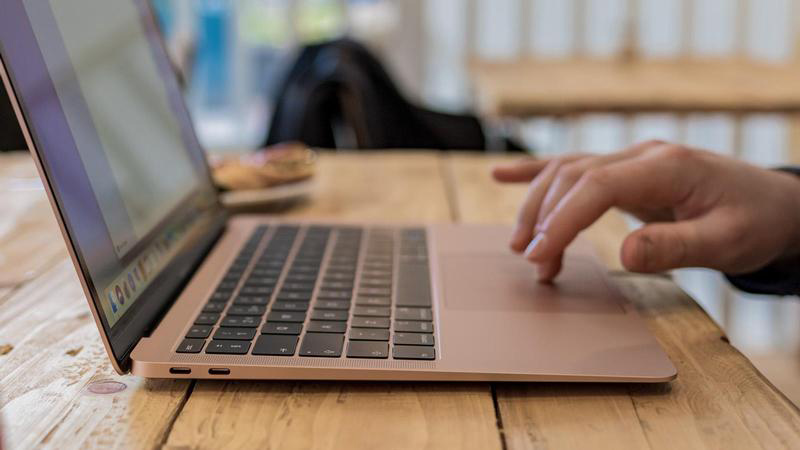
Before you Mac trade in, give it away or sell your Mac online, there are key features you might need to know.
1. Look For Good Pricing
Sometimes Mac trade in programs from manufacturers might not pay with money for your Mac. For instance, the Apple Trade in program gives you gift cards or credit for future purchases on Apple, but you don??t get instant cash for Mac trade in. Therefore, a good option, if you are looking to have extra money is to sell from a middleman site. There are a lot of resellers that are willing to pay you good value for your used Mac but it depends on the cosmetic condition, functionality, model and accessories of your device.
We find out these Mac trade in deals at Gadget Salvation:
- MacBook Pro 15-inch Mid-2018 Touchbar-2.9 GHz Core i9 256 GB in flawless condition and fully functional, you receive $988.00
- MacBook Pro 13-inch Mid-2017 touchbar-3.1 GHz Core i5 512GB, in brand new condition and fully functional, you get paid $480.00
- iMac 27 inch Mid 2017 BTO/CTO iMac 18,3- 4.2 GHz Core i7 2 TB in flawless condition and fully functional you get $883.00
2. Find A Trustworthy Retailer
It might take you a while to decide which reseller offers you the best Mac trade in for cash. We recommend checking if the site has trust certifications (BBB rating A+) from Accredit Business, types of payment, customer service line, reviews of customers and easy navigation on the website, like Gadget Salvation.
To Mac trade in with Gadget Salvation, you need to answer some questions regarding the model, cosmetic condition and functionality of your device. The website provides an estimated Mac trade in value quote. Then, fill out the check-out form, to get your shipping label and send it to any UPS facility. Once, the goods are received by our team, they will inspect and verify its condition. If the information provided by you matches with the condition of the device, you get paid cash within 48 hours via PayPal, check Bank, Venmo or Zelle.
However, if the condition of your Mac doesn’t match what you described, a new Mac trade in quote value will be suggested. You will always have the option to either agree to this new estimation value or reject it. If you deny it, your goods will be returned to you at free charge.
3. Back Up
Whether you decide to Mac trade in any model such as a MacBook, MacBook Air or MacBook Pro for whatever reason, you need to back up your data.
Make sure to save all your files, including apps, music, videos, pictures and more, before Mac trade in. You can store your Data with an external storage device, with a time machine feature of Mac, with iCloud or iCloud Drive.
Here there are the steps to do it for:
- Time machine: is a feature integrated on your Mac where you can automatically back up files every hour for the past 24hrs, daily backups for past months and weekly backups for the previous months. It keeps an up to date copy of your latest Mac data.
- External Storage device: connect the device on the Mac and select your storage device. System asks you if you prefer to use the drive backup with Time Machine. Click on Encrypt Backup Disk > click on Use as backup disk. Finally, select ??external drive from the list > Encrypt backups> click use disk
- iCloud Drive: go to Apple Menu > System Preferences > click Apple ID.> Select iCloud > Sign with your Apple ID if you have to> Select iCloud Drive.
- iCloud: sign in into your iCloud account > select Pages, Numbers, or Keynote >click on Upgrade to iCloud Drive, if you need to.
4. iTunes, iCloud And iMessage Sign-Out
Make sure to log-off from your accounts to prevent someone else from access to your personal information. Reason why your iTunes, iMessage and iCloud accounts need to be switched off. To sing-out from your iTunes account, go to iTunes > Account > Authorizations > Deauthorize this computer. Then enter your Apple ID > Password > Click Deauthorize; from iCloud, Menu > system Preferences > click Apple ID. Select iCloud and turn off Find my Mac > Choose Overview > Sign Out. Finally, from iMessage, select Messages > Preferences > click iMessage> sign out.
5. Wipe Out Your Hard Drive
If you want to give away or Mac trade in, the device needs to be restored to factory settings. Therefore, all your content will be permanently deleted from your Mac. To finish wiping the device, reinstall the macOS software for the new owner to set up the Mac.