



It??s good to backup important data in case something happens, from documents to photos and videos. One convenient way to backup data in your iPhone is through iCloud. Although there are many services that claim to do the same, software limitations can get in the way. The iCloud backs up not just photo and videos, it also takes care of contacts, apps, and even your phone settings.
iCloud Features
iCloud is more than just a backup service. If you log onto iCloud.com, it helps you locate your lost iPhone. It also helps keep your mail, contacts, calendar, and notes updated. You can even securely store your passwords and other important information with the iCloud Keychain.
You can also share files and collaborate with friends and colleagues using your iCloud Drive.
Worried about losing access to your files when you switch devices? iCloud lets you see your files on all your Apple devices.
Using iCloud Backup
To use this feature, you must first turn on the iCloud Backup feature on your iPhone to allow the automatic backing up of data.
Connect your device to a Wi-Fi network in order to do this.
- Go to Settings ?? iCloud ?? Backup.
- Turn on iCloud Drive.
- Tap ??Back Up Now?.
To check your backup:
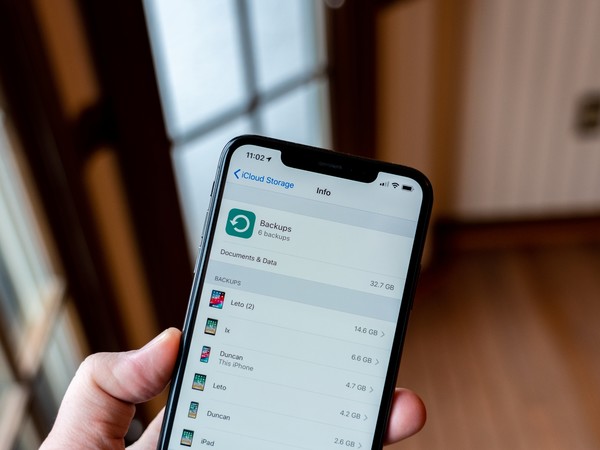
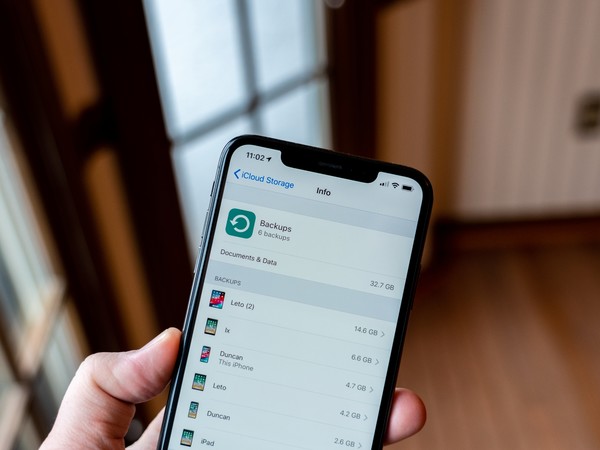
- Go to Settings ?? iCloud ?? Storage ?? Manage Storage.
- Select your device to see your backup list.
Your first 5 GB is free. If you need more storage, you can get 50 GB for a monthly payment of $0.99. The 200 GB plan or 2 TB plan allows you to share storage with your family.
To check how much storage you have left
- On your device (iPhone, iPad, or iPod Touch):
- Go to Settings ?? Click on your name ?? iCloud.
- Tap iCloud Storage.
- If you??re using a Mac:
- Go to the Apple menu ?? System Preferences ?? Apple ID ?? iCloud.
- Click Manage.
The iCloud is a great option if you??re looking to free up some space on your phone. Using the iCloud service can free up the standard 5 GB on your phone at no extra cost.
If you??ve gotten a new iPhone X, you??re likely taking tons of photos and videos. To make room for more files, you might want to explore iCloud and its many storage options, ranging from the free 5 GB of storage to a monthly charge of $9.99 for 1 TB of storage. Alternatively, you can choose to back up the most recent 1000 photos in your stream to utilize the free 5 GB of storage. While the newer iPhones have as much as 128 GB of built in storage, you may still need to get cloud storage as your files accumulate.
There??s no need for you to sell your MacBook??you can still access your files via your Mac??s iCloud.
Alternatively, you can back up your files using iTunes, but unlike iCloud, you need to manually connect your iPhone to your computer. To do this go to File ?? Devices ?? Backup.

Cesar is a Product Manager at Gadget Salvation, a leader in the refurbished electronics industry. An avid technology enthusiast, he’s always on top of the latest tech trends and applies that knowledge to drive product innovation.