

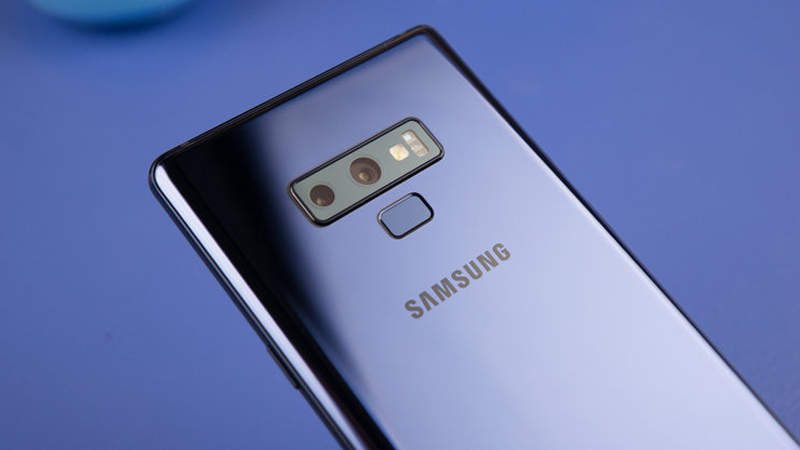


Essential tips to consider when selling Samsung phones.
You have already decided to sell your Samsung Galaxy phone, but you don’t know where to start. That’s why we are going to list best practices for getting the best price for your Samsung trade-in. We will start by giving you some tips to prepare your phone for the next user, how to grade your device, and more.
1. Remove Your SIM Card
If you are planning to Samsung trade in, take out your SIM card from the phone that you want to sell. The SIM card contains information you saved on, such as contact numbers from your family and friends, which you may not want to share with the new owner. You will need a SIM ejection tool to remove the card tray, but if you don’t have one, you can use a paperclip, a piercing, or an earring to eject it.
2. Prepare Your Phone
If you are looking to Samsung trade in, it’s important to back up your data, erase it securely from the phone, and also clean it.
Backup
Ensure all important files, such as photos, videos, and apps, are backed up before erasing them. You can choose between:
- Google Cloud: Navigate to Settings > System and open “Backup.” You’ll see the types of data being backed up (e.g., app data, Wi-Fi passwords, etc.).
- External Drive or PC: Connect your phone to your computer using a cable. Open the file explorer window and locate your phone’s folders. Copy and paste the files you want to save onto your computer.
Erase Your Data
After backing up, follow these steps to wipe your phone:
- Go to “Settings” > Backup/Restore to erase data.
- Alternatively, erase manually using hardware buttons.
Don’t forget to sign out of your Google and Samsung accounts to allow the next user to activate the phone.
Clean Your Galaxy
Finally, clean your phone’s display to remove dirt and fingerprint marks for a fresh look.
Ready for trade-in success!
3. Grade Your Phone
When you samsung trade in, the cosmetic condition and functionally of the device accounts to get a quote for your device. Need to be honest when grading the condition of your phone. For instance, if your Samsung phone is in flawless condition, fully functional, and has all the accessories, you can get a good price quote. However, if you missed mentioning, for instance, that your screen has some dead pixels, you will receive a new quote, if you are using a middleman service, with a price lower than you expected.
Ask yourself the following:
- Is my Samsung Galaxy phone turning on properly?
- Is the battery and charger still working well?
- Are there any issues with the touchscreen?
- Are there missing pixels or colors on the display panel?
- Is it cracked or damaged anywhere?
Fair working and cosmetic condition assessment secures an accurate resale offer and prevents potential renegotiations or unwanted surprises.
4. Decide How You Want to Be Paid: Gift Card, Credit, or Cash?
When selling a used Samsung smartphone, decide if you want to trade it in, or use online resale platforms like Craigslist or eBay.
eBay and other local classifieds serve to connect buyers and sellers. Those are great options, but the seller has to understand the responsibility of dealing with all the logistics (creating an account, listing, paying for shipping, covering selling fees, and bargaining).
Alternatively, you can trade in your phone for a gift card or a store credit. This option is great if you want to get a newer Samsung model (Samsung Trade In) or switch to a different brand altogether (Best Buy Trade In).
5. Where to Sell It for Cash?
Once your used Samsung Galaxy is reset, cleaned, and ready for resale, it’s time to find a buyer. And if you want to sell the phone for money, but don’t want to deal with the traditional marketplace hassle, consider a buyback site like Gadget Salvation.
We buy pre-owned electronics like phones, laptops, and more and pay cash for them. Our site is user-friendly, easy to navigate, and calculates instant offers in real time. We eliminate the need to create a marketplace listing, meet with buyers, and cover the shipping cost.
To trade in your Samsung for cash, simply:
1 – Check out online and receive a free postage label.
2 – Send in your Galaxy for inspection.
3 – Receive the money within one to two workdays of us receiving and testing the phone.
6. Samsung Trade In Program
It is quite common for smartphone manufacturers to have trade-in programs like Apple’s and Samsung’s. However, as is the case with Apple, you are usually paid with gift cards or credits for future purchases. And if your device is damaged or does not work properly, the manufacturer will recycle it for free.
Now, are you ready to sell your pre-owned Samsung phone? We hope these six essential tips will help you trade in your used Samsung smartphone or sell it for cash with ease.

Hello,
I’m the SEO Copywriter and Content Creator of Gadget Salvation. I love tech & sustainable fashion.