Surface 3: What’s All the Fuss About?
It’s July 2015, and the tech world is buzzing about Microsoft’s latest offering: the Surface 3. Heralded by some as an “iPad killer,” this…
In this article
It’s July 2015, and the tech world is buzzing about Microsoft’s latest offering: the Surface 3. Heralded by some as an “iPad killer,” this device aims to carve out a significant slice of the tablet market, a feat many companies have attempted but few have achieved. It’s crucial to distinguish the Surface 3 from its more powerful sibling, the Surface Pro 3, which was designed to challenge the MacBook Air. The Surface 3 is positioned differently—it’s more affordable and packed with features that could potentially make Apple rethink its strategy.
Redefining the Tablet Experience
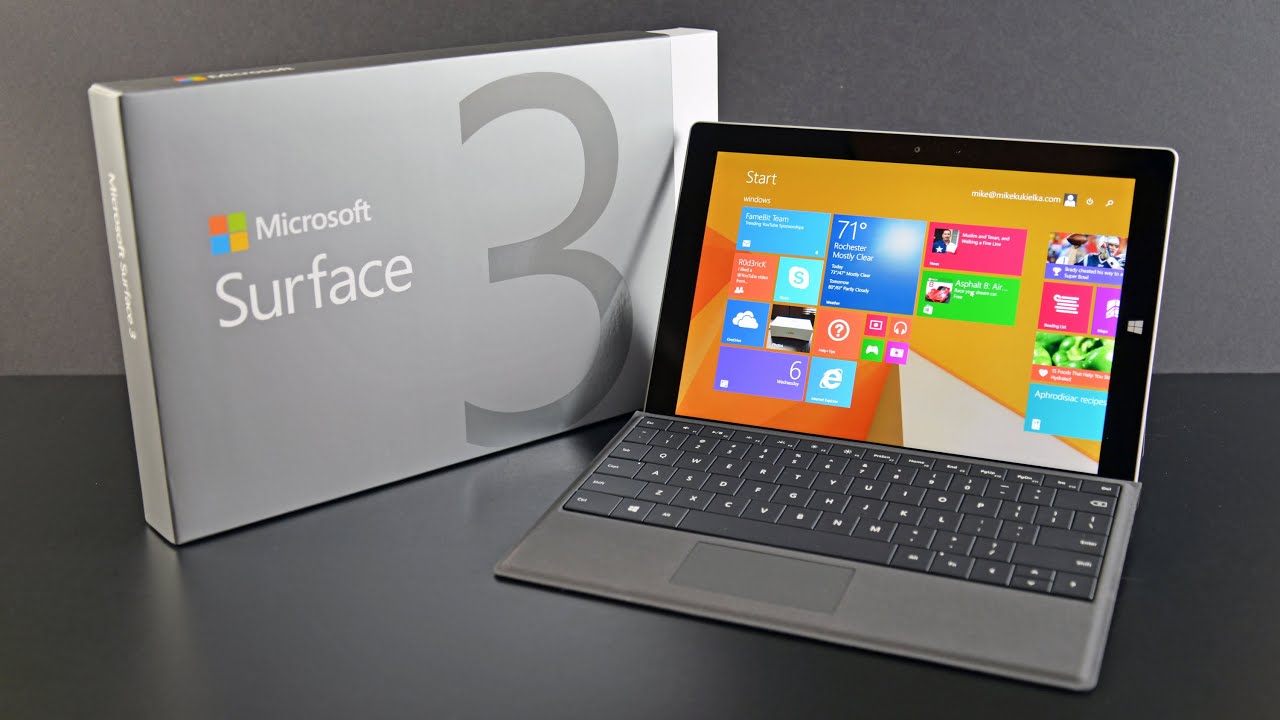
At first glance, the $699 price tag for the Surface 3 might raise eyebrows. For a tablet, it seems steep. However, the Surface 3 isn’t just any tablet; it’s a hybrid device designed to function seamlessly as both a tablet and a laptop. This dual functionality is its core appeal, allowing users to perform all the tasks they would on an iPad while also running full desktop applications. A significant advantage is its full-sized USB port, which enables connectivity with external peripherals and devices, a feature often absent in pure tablets.
While it’s not as featherlight as the Galaxy Tab or the iPad Air, the Surface 3 is still remarkably portable. Weighing in at 622 grams and boasting a slim 8.7mm width, it’s convenient for on-the-go use. Its integrated kickstand adds to its versatility, allowing for comfortable viewing and typing in various scenarios. Battery life is respectable, offering approximately 10 hours of video playback with its Dolby-tuned speakers providing a rich audio experience. Powering this compact device is an Intel Atom chip, which, notably, doesn’t require a fan. This fanless design contributes to the Surface 3’s slim profile and quiet operation, demonstrating how Microsoft managed to pack so much into a small form factor.
The Surface 3 ships with Windows 8.1, but users have the option to upgrade to Windows 10 for free upon its release. The device features a 10.8-inch full-HD screen that delivers a crisp and vibrant visual experience, whether you’re using it in tablet or laptop mode.
Seamless Transition and Performance
One of the Surface 3’s most compelling attributes is its ability to transition smoothly between its desktop and tablet modes. This fluidity allows for a more versatile user experience. Whether you’re tackling productivity tasks in desktop mode or unwinding with entertainment in tablet mode, the switch is effortless. The device handles basic programs like Photoshop, web Browse, and HD video playback with ease. While the Intel Atom processor might not match the raw speed of higher-end chips, it performs admirably for everyday tasks, making the Surface 3 a capable machine for users who primarily stick to essential functions.
The Price Conundrum
Despite its impressive features and versatility, the Surface 3 faces a significant hurdle: its pricing structure. The $699 base price does not include the keyboard, which is an additional $179. This means that to unlock the full hybrid functionality that makes the Surface 3 so appealing, consumers are looking at a total cost closer to $900. This additional expense often becomes a sticking point for potential buyers. While the Surface 3 offers significantly more desktop-like capabilities than an iPad, many consumers might still opt for the more affordable iPad if the desktop functionality isn’t a critical requirement for them.
Microsoft’s Challenge Ahead
The Surface 3 undoubtedly has a captivated audience. There’s a strong interest among consumers looking for a device that bridges the gap between tablets and laptops. However, Microsoft faces a clear challenge: making the Surface 3 more accessible. The sentiment among many interested buyers is straightforward: make it cheaper, and it will sell. If Microsoft can adjust its pricing strategy to make the complete package more competitive, the Surface 3 could truly become the formidable contender it aspires to be in the evolving landscape of personal computing.
What are your thoughts on the Surface 3’s value proposition in 2015? Would the additional cost of the keyboard deter you from purchasing it?