Resources · Computer Guide
Find your computer's specs & processor.
Knowing your model and processor type helps us give you an accurate quote. Pick your operating system below and follow the step-by-step guide.
For Windows PC Users
Open System Information.
Two clicks reveal both your model number and your processor type.
-
1
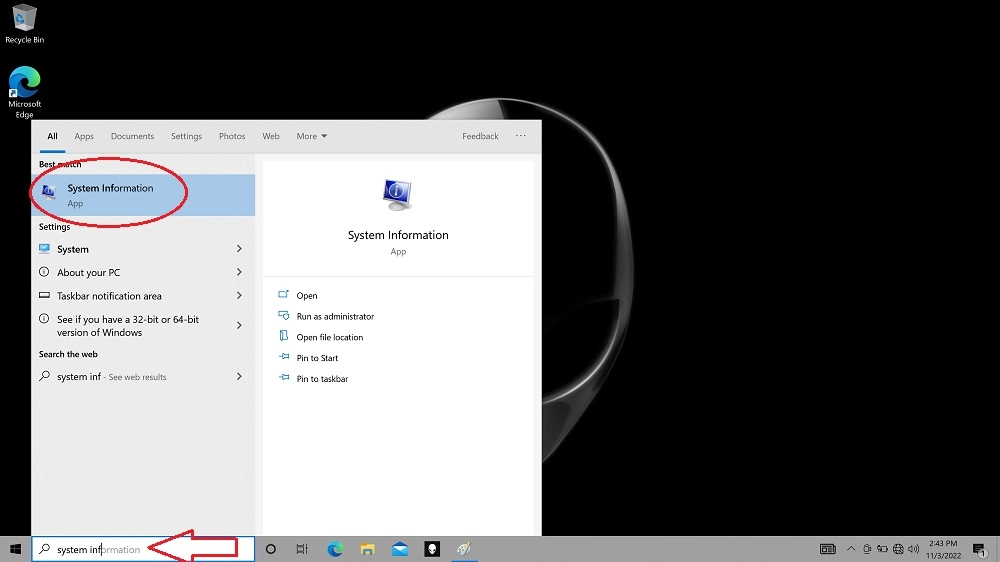
Search for "System Information"
Click the Windows icon in the taskbar and type System Information.
-
2
Open the top result
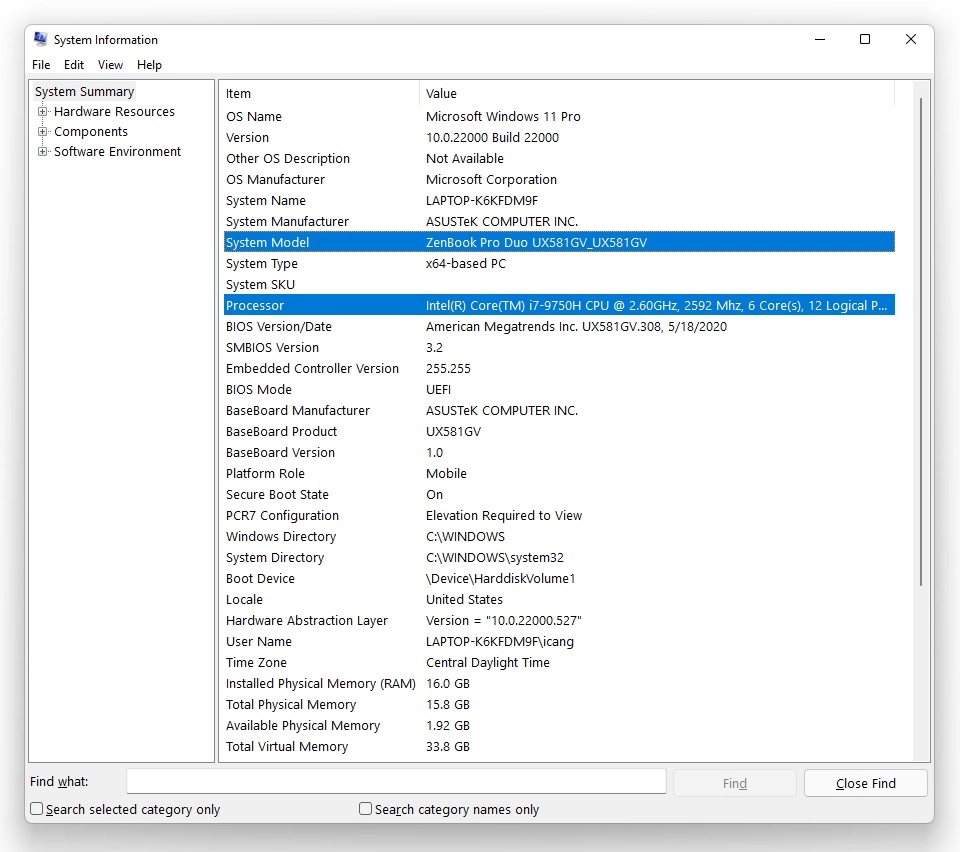
A window opens with your system summary. Your System Model and Processor are listed on the right — that's everything we need.
For macOS Users
Open About This Mac.
Apple keeps your Mac's basic information one click away.
-
1
Open the Apple menu
Click the Apple logo in the top-left corner of your screen.
-
2
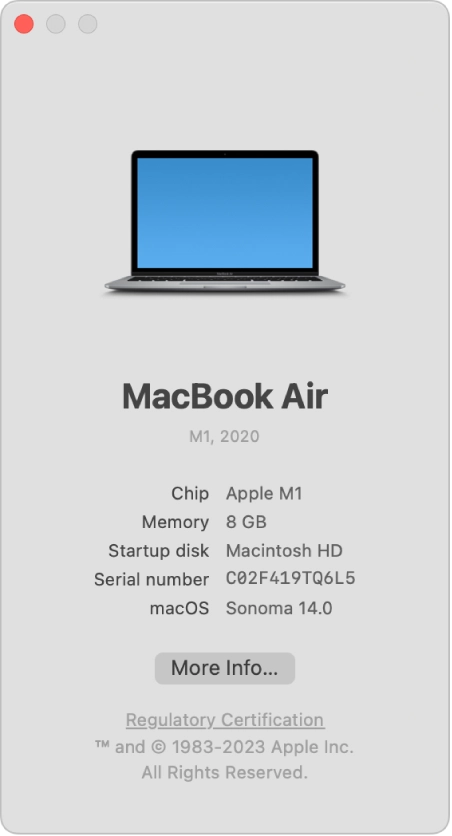
Choose "About This Mac"
A window shows your Mac's overview, including the chip or processor and the model.
Found your specs?
Great — get an instant trade-in quote in seconds. Still stuck? Our team can help you identify your computer and get you an accurate offer.