Resources · Laptop Guide · CyberPower
Find your CyberPower's model number.
CyberPower laptops don't always carry an obvious model number — the serial number on the bottom is usually the key identifier. Here are three ways to find what you need for an instant trade-in quote.
Method 1
Check the bottom panel.
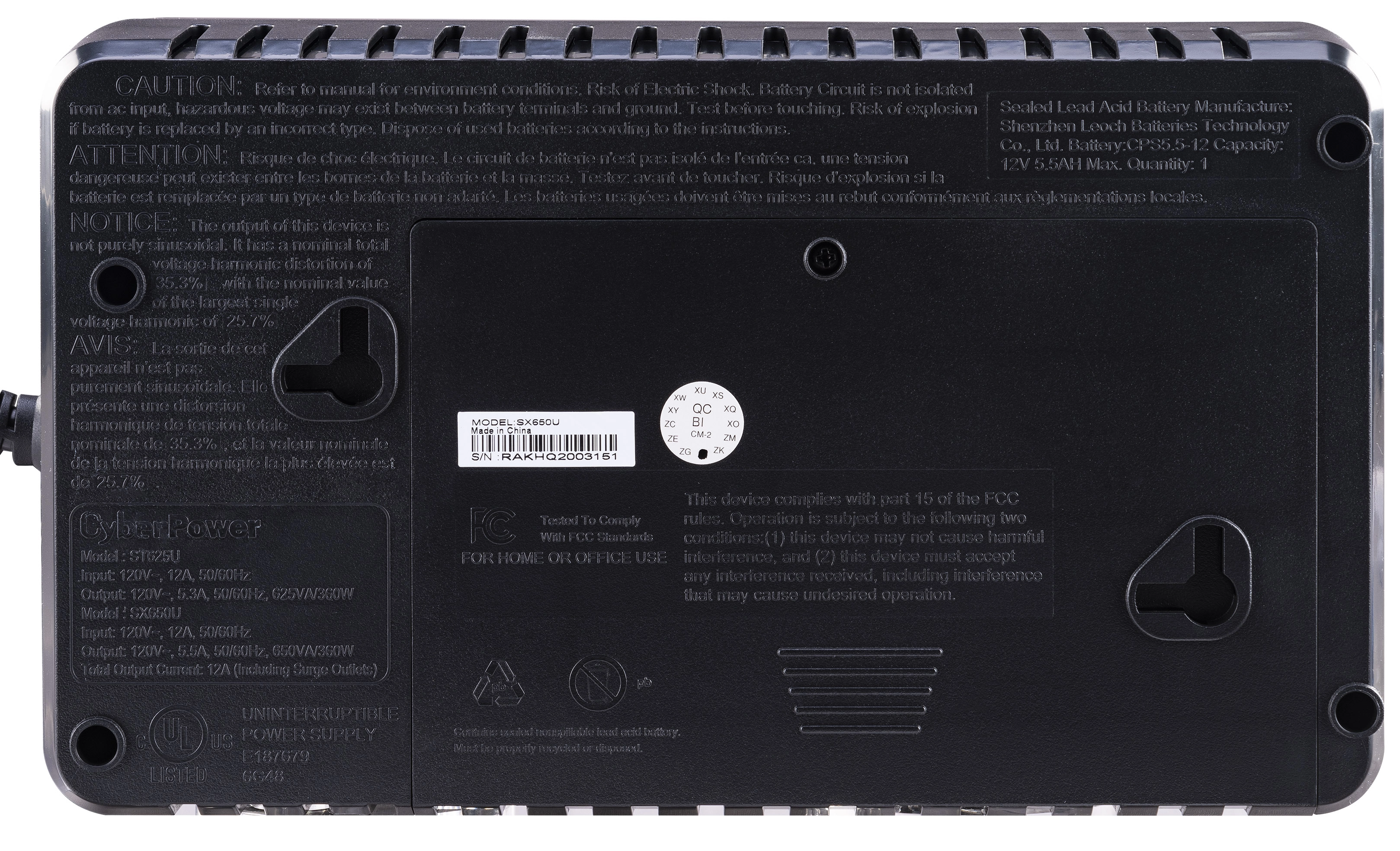
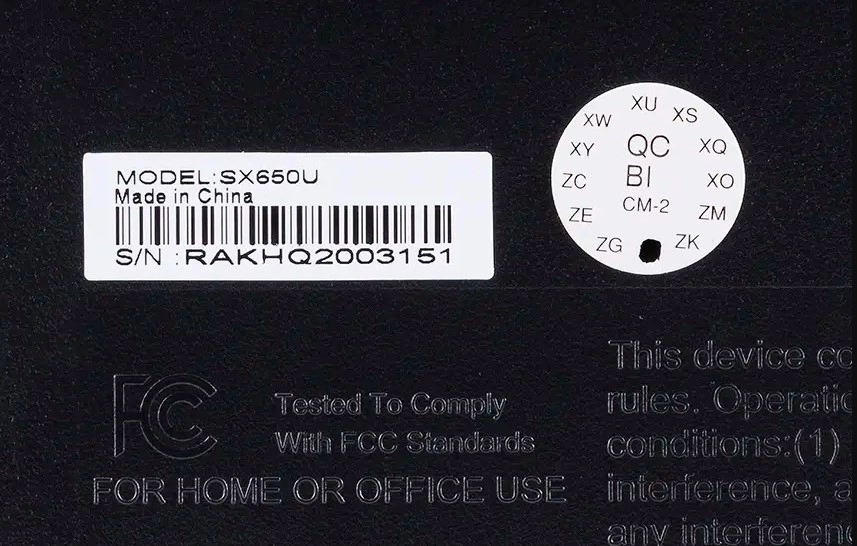
Start with the underside of your CyberPower laptop. The sticker there carries the serial number — and on many models the configuration code too, which is what we use to identify your machine.
-
1
Flip your laptop over
Power off and close the lid, then turn the laptop upside down on a soft surface.
-
2
Read the serial number
Find the line marked Serial or S/N on the bottom sticker — for example ST625U. If there's no model number, the serial is all you need.
Method 2
Use System Information.
No model number on the bottom? Windows shows your system model and processor type in two clicks.
-
1
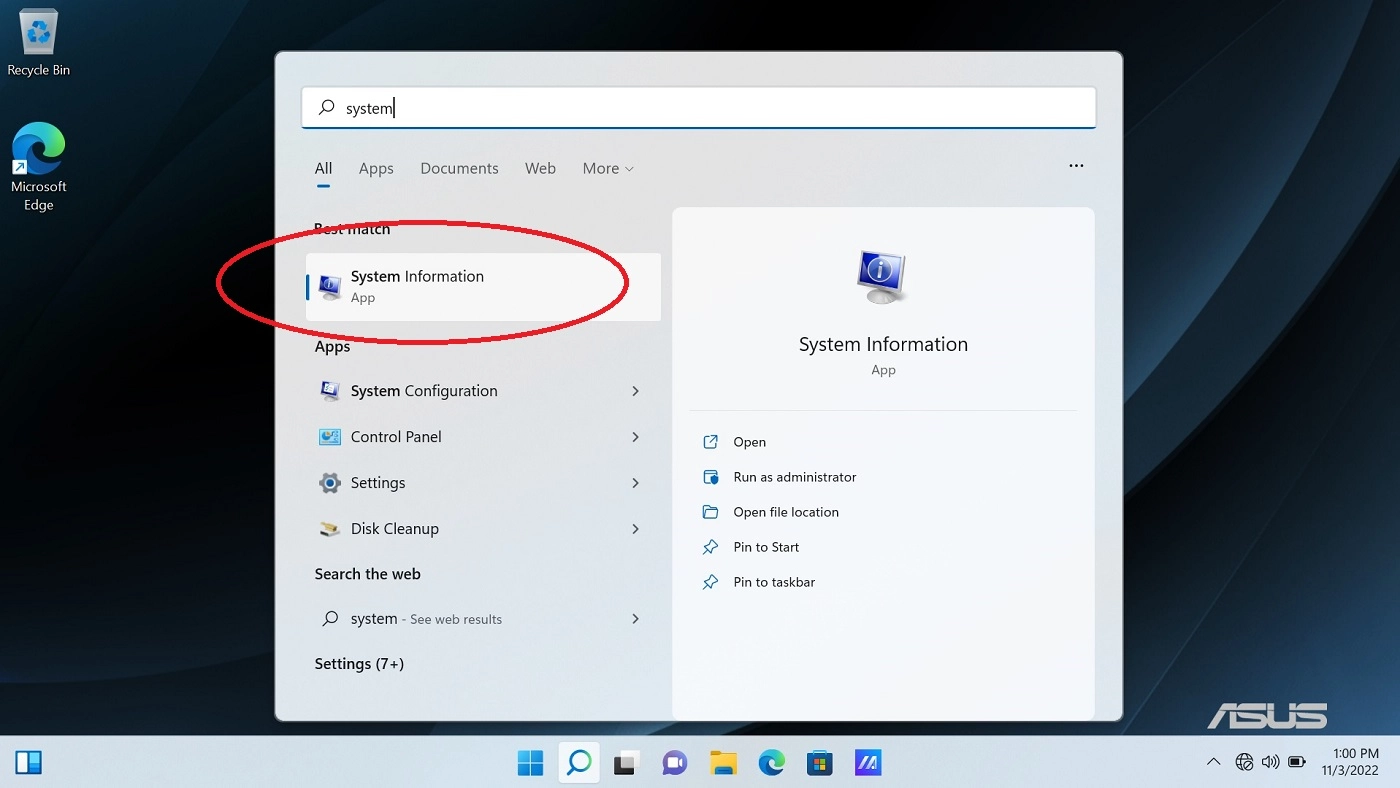
Search for "System Information"
Click the Windows icon in the taskbar and type System Information.
-
2
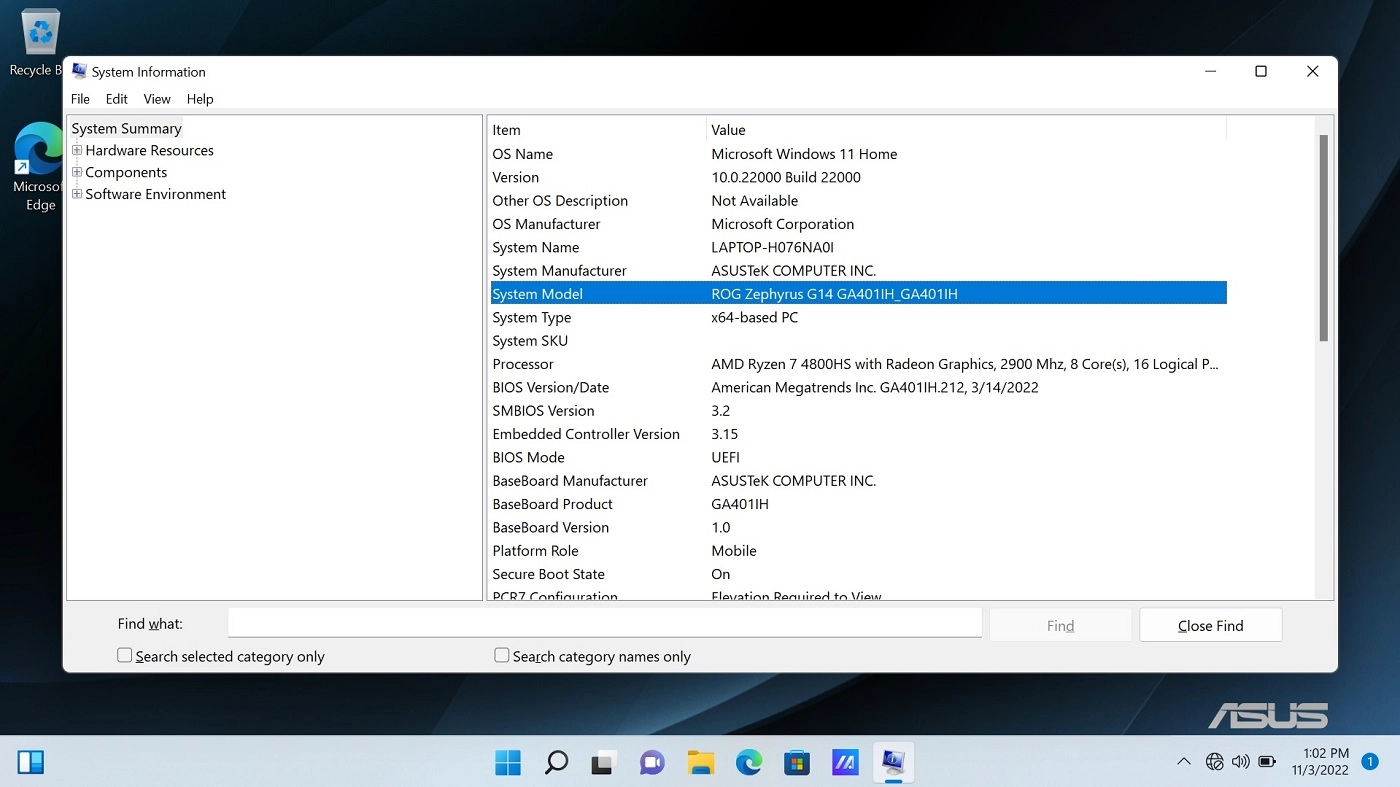
Open the top result
A window opens with details about your CyberPower computer. The System Model is all you need for a quote, and the Processor is listed in the same window.
Method 3
Ask CyberPower support.
Still stuck? The serial number is the master key. CyberPower's tech support can match it to your exact model and configuration.
-
1
Grab the serial from the bottom case
Note the Serial number from the bottom sticker before you call — it's the first thing they'll ask for.
-
2
Contact CyberPower tech support
Give them the serial and they'll tell you the specific model and configuration. Then send that to us and we'll confirm it in our database.
Still can't find it?
No problem. Contact our team or text us with your serial number and we'll help you identify your CyberPower laptop and get you an accurate quote.
Found your model?
Get paid for your CyberPower.
Free shipping. Fast payment. No pressure.
Get Your Free Quote