Resources · Laptop Guide · MSI
Find your MSI's model number.
There are two ways to locate your MSI gaming laptop's model number. Pick whichever is easiest — then get an instant trade-in quote in seconds.
Method 1
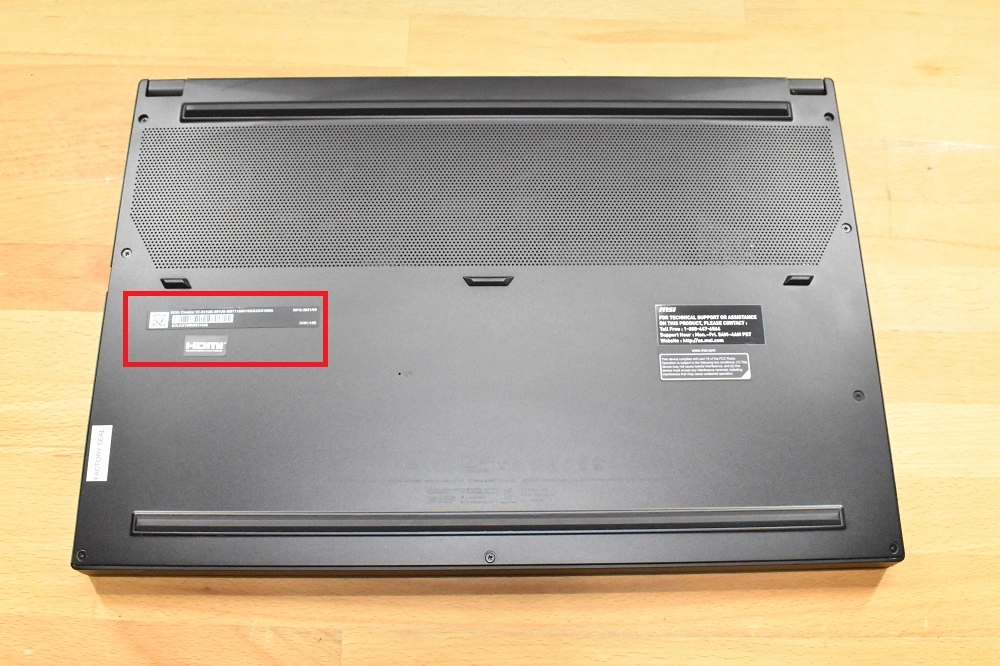
Check the bottom case.
The quickest method — the model number is printed on the bottom case of your MSI laptop.
-
1
Flip your laptop over
Power off and close the lid, then turn the laptop upside down on a soft surface.
-
2
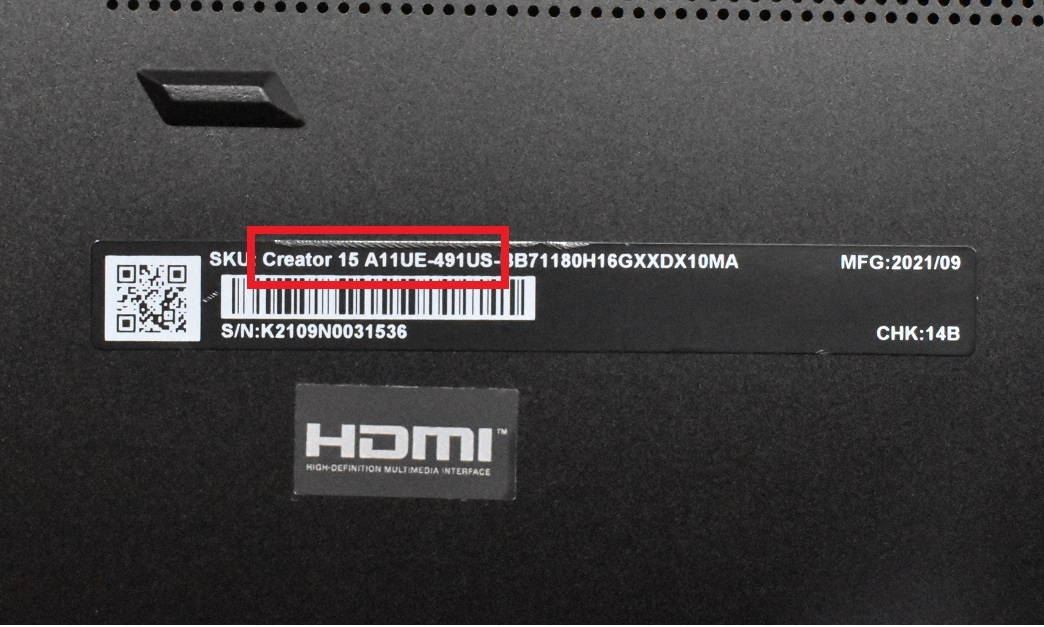
Read the printed label
Find the line marked Model — for example Stealth GS66.
Method 2
Use System Information.
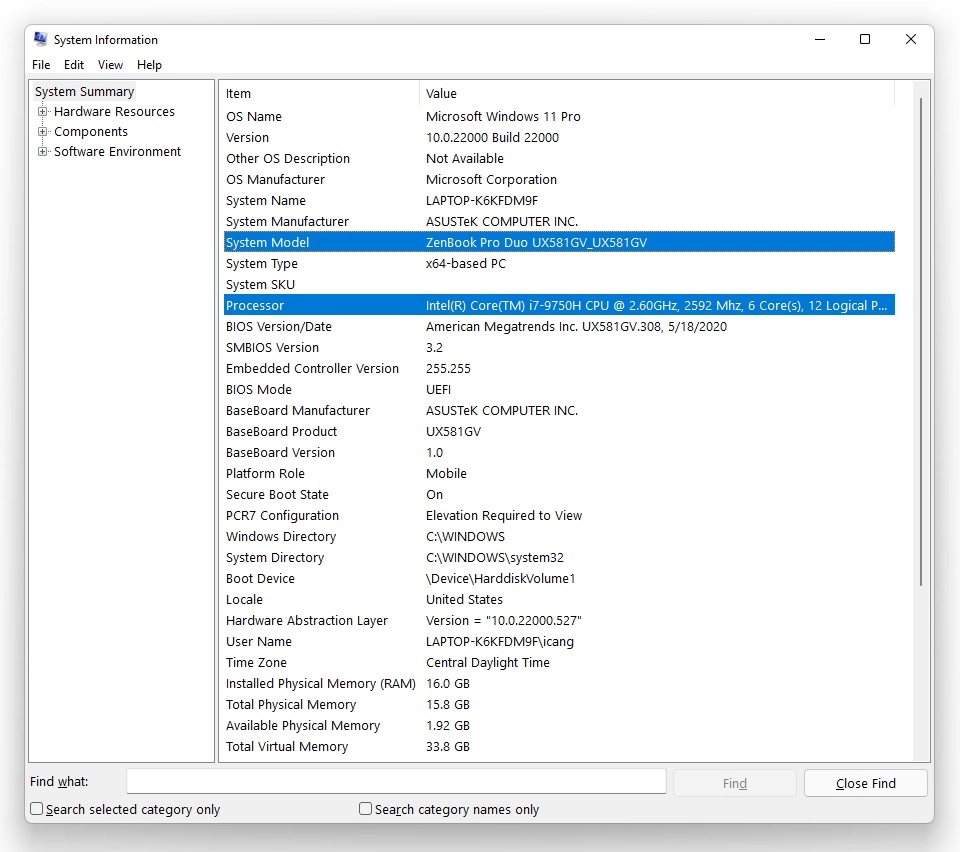
Need the processor type too? Windows shows both your model number and processor in two clicks.
-
1
Search for "System Information"
Click the Windows icon in the taskbar and type System Information.
-
2
Open the top result
A window opens with your system summary. The System Model and Processor are all you need for a quote.
Still can't find it?
No problem. Contact our team or text us and we'll help you identify your MSI laptop and get you an accurate quote.
Found your model?
Get paid for your MSI.
Free shipping. Fast payment. No pressure.
Get Your Free Quote