Best Laptops for Cybersecurity Students, Ranked
Studying cybersecurity is fundamentally different from standard computer science. Between running multi-node Virtual Machine (VM) penetration-testing labs, analyzing packet dumps in Wireshark, dual-booting specialized Linux distros like Kali or Parrot OS, and executing GPU-accelerated hash cracking with Hashcat, a standard budget laptop simply won't cut it.
In this article
A cybersecurity degree is a hands-on degree. Within your first semester or two, you will probably be running Kali Linux, a Windows target, and a deliberately vulnerable server side by side, all on one machine. That turns your laptop into something closer to a portable lab than a note-taking device. Choose the wrong one, and you tend to find out the night before a lab is due.
The stakes are worth getting right. The U.S. Bureau of Labor Statistics projects employment of information security analysts to grow 29% from 2024 to 2034, much faster than the average for all occupations, with a median annual wage of $124,910 in May 2024 (BLS Occupational Outlook Handbook). This guide covers what your coursework actually demands, the one spec that can sink an otherwise great laptop, our six picks for 2026, and how to plan your exit before you buy.
The short answer:
| Category | Laptop | Why it wins |
|---|---|---|
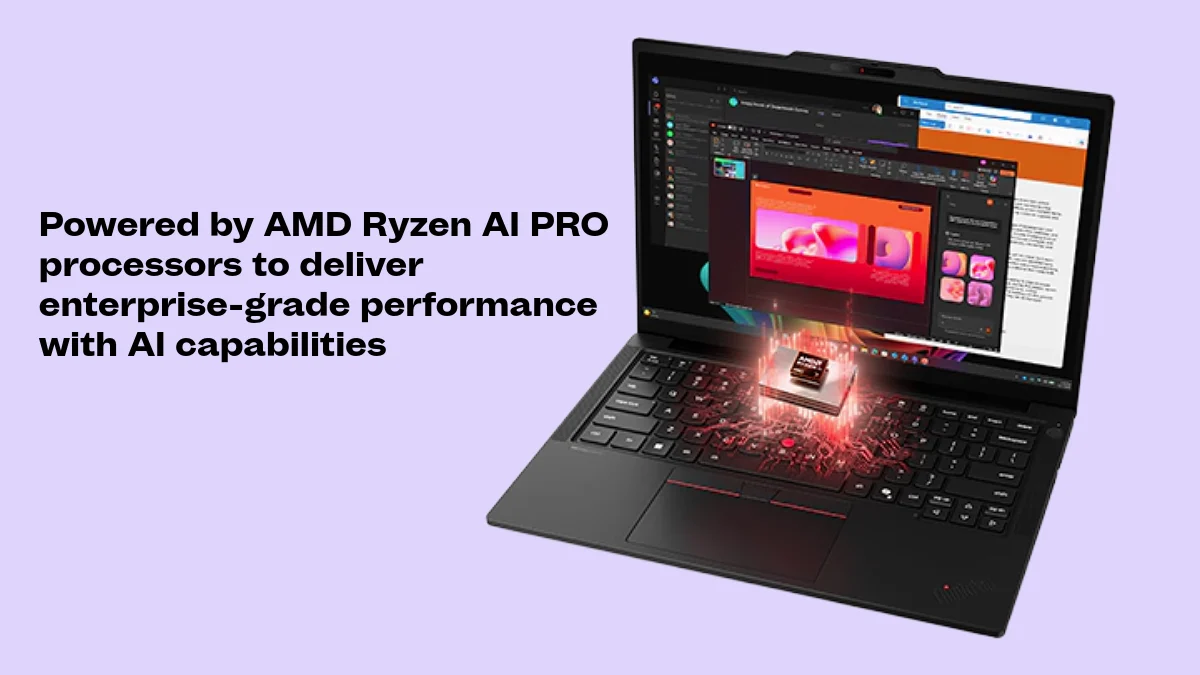
| Best overall | Lenovo ThinkPad T14 Gen 7 (AMD) | x86, two DDR5 SODIMM slots (up to 96GB), Ethernet, Linux preload options |
| Best budget (new) | Lenovo ThinkPad E14 Gen 7 (Intel, non-Lunar Lake) | Two SODIMM slots plus two M.2 slots for a dedicated VM drive |
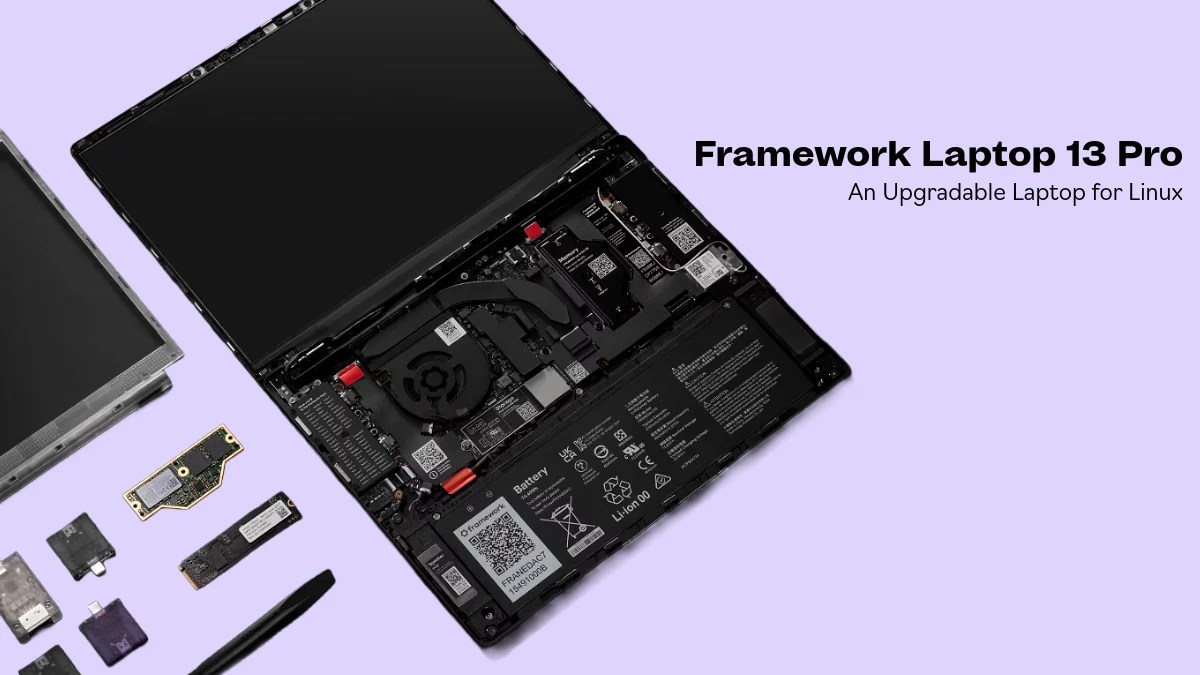
| Best for repairability | Framework Laptop 13 Pro | Modular, upgradeable, Linux-friendly; AMD option uses standard DDR5 |
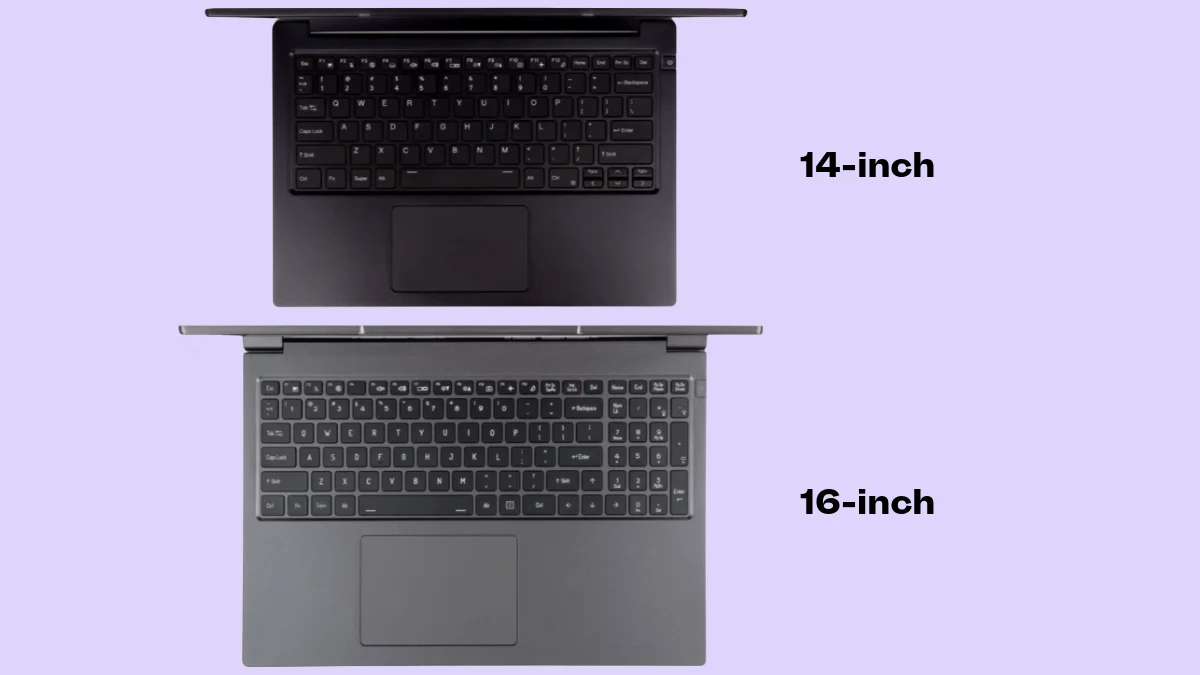
| Best Linux-first | System76 Lemur Pro (2026) | Ships with Pop!_OS and 32GB of memory |
| Best Mac (with caveats) | Apple MacBook Air M5 | Great battery and build; runs ARM64 Kali, but not x64 VMs |
| Best value | Pre-owned Lenovo ThinkPad T14 Gen 6 (AMD) | Upgradeable to 64GB, Ethernet, lower cost, and no new e-waste |
Why 2026 is an Unusual Year to Buy a Laptop
Memory prices have reshaped the laptop market this year. In June 2026, Apple raised the 13-inch MacBook Air from $1,099 to $1,299 and the MacBook Neo from $599 to $699, citing memory and storage costs (Tom’s Guide). Framework told customers its LPCAMM2 memory supplier doubled prices, and Engadget found the mid-tier Framework Laptop 13 Pro it reviewed selling for around $3,100 (Engadget).
For a cybersecurity student, that has two practical consequences. First, laptops with standard SODIMM slots are more valuable than ever, because you can buy with 16GB now and add memory later when prices ease. Second, a well-chosen pre-owned business laptop is a stronger value than usual. We dig into the market forces in our analysis of the 2026 memory crunch and the refurbished PC boom.
What a Cybersecurity Course Actually Asks of Your Laptop
Almost every hands-on security program runs on virtualization. Instead of attacking real networks, you build a small one inside your laptop: an attacker machine, one or more targets, and sometimes a monitoring box. Each virtual machine (VM) needs its own CPU cores, memory, and disk, all borrowed from the host. That is why a laptop that feels fast for browsing and essays can choke the moment a lab starts.
Published requirements for hands-on training make the pattern clear. The Virginia National Guard’s Cyber Fortress 2026 exercise, for example, requires a 64-bit Intel or AMD processor, Intel VT-x or AMD-V virtualization enabled in the BIOS, 16GB of RAM, 160GB of free storage, a USB 3.0 Type-A port, and local administrator access. It also states that Apple Silicon-based computers cannot be used for that course (Cyber Fortress 2026 FAQ). Your program may differ, so always read your school’s laptop requirements page first, but this is a realistic snapshot of what hands-on security training expects.
| Spec | Minimum | Recommended | Why it matters |
|---|---|---|---|
| Processor architecture | 64-bit x86 (Intel or AMD) | 64-bit x86 (Intel or AMD) | Many lab images and Windows targets are x86-64 and will not run natively on Arm |
| CPU cores | 6 cores | 8 cores / 16 threads or more | Each VM is assigned its own virtual CPUs |
| Memory (RAM) | 16GB | 32GB, in upgradeable SODIMM slots | Running three or more VMs at once is routine |
| Storage | 512GB SSD with 160GB+ free | 1TB NVMe SSD; a second M.2 slot is a bonus | Every VM image consumes tens of gigabytes |
| Virtualization | VT-x or AMD-V enabled in BIOS | Plus IOMMU (VT-d or AMD-Vi) | Required to run hypervisors at full speed |
| Ports | One USB-A port | USB-A plus built-in Ethernet (RJ-45) | USB Wi-Fi adapters for wireless labs; wired NIC for network labs |
| Operating system | Windows 11 or Linux with admin rights | Windows 11 Pro/Education or a Linux preload | You need to install hypervisors and drivers yourself |
Illustration: how a 32GB laptop gets divided during a typical lab
Example allocation only. Your instructor’s lab guide sets the real numbers.
In text form: about 8GB for the host operating system, 8GB for a Kali Linux attacker VM, 8GB for a Windows 11 target, 4GB for a vulnerable Linux server, and 4GB of headroom. On a 16GB laptop, you would have to shut one of those machines down, or starve all of them.
The One Caveat That Can Sink You: x86 vs. Arm
Apple Silicon MacBooks and Snapdragon-powered Windows laptops are excellent computers, with outstanding battery life. The catch is architecture. A hypervisor on an Arm laptop runs Arm virtual machines. Microsoft’s guidance for Windows on Arm devices focuses on creating Arm64 VMs (Microsoft Learn), and Oracle’s VirtualBox 7.1, which added Apple Silicon host support, runs Arm guests on those Macs (Oracle).
Some security tools adapt well. Kali Linux publishes an Apple silicon (ARM64) installer, and student clubs such as UMass Cybersecurity walk members through running it in the free UTM hypervisor (UMass Cybersecurity Kali/UTM guide). The problem is the same in a typical course: x64 Windows targets, instructor-built x86 VM images, and capture-the-flag boxes that ship only in x86. Those either will not run or must be emulated, which is dramatically slower than native virtualization. If you are weighing a Snapdragon laptop, our Intel Core Ultra 7 vs. Snapdragon X Elite comparison covers the broader trade-offs.
| Lab task | x86 laptop (Intel/AMD) | Apple silicon Mac | Windows on Arm (Snapdragon) |
|---|---|---|---|
| Kali Linux VM | Yes (x64 build) | Yes (ARM64 build) | ARM64 build; setup varies by hypervisor |
| x64 Windows 10/11 target VM | Yes | No (Windows on Arm only) | No (Arm64 Windows only) |
| Instructor-supplied x86 VM images (OVA) | Yes | Emulation only, slow, or unsupported | Emulation only, slow, or unsupported |
| Courses that require x64 virtualization | Meets requirement | Does not meet requirement | Does not meet requirement |
Rule of thumb
The Best Laptops for Cybersecurity Students in 2026
We prioritized what actually matters in a lab: x86 compatibility, upgradable RAM, ports for adapters and wired networking, Linux support, and a credible track record. Specifications come from manufacturers; performance and battery claims are attributed to the outlet that measured them. Because prices fluctuate weekly with memory costs, we list prices only where a source confirms them.
Do You Need a Gaming Laptop or a Dedicated GPU?
Probably not. Networking, Linux administration, digital forensics, and most penetration testing coursework run on the CPU. A dedicated NVIDIA GPU mainly speeds up password-cracking exercises and machine learning projects, and many programs provide lab or cloud resources for those. If your track clearly calls for GPU work, a budget RTX gaming laptop such as the Lenovo LOQ is a good value option, if you can deal with weight and battery life trade-offs.
Side-by-Side Comparison
| Laptop | Architecture | Upgradeable RAM | Max RAM | Ethernet | Battery |
|---|---|---|---|---|---|
| ThinkPad T14 Gen 7 (AMD) | x86 (AMD) | Yes, 2× DDR5 SODIMM | 96GB | Built-in RJ-45 | Up to 18.93 hr (Lenovo claim) |
| ThinkPad E14 Gen 7 (Intel, non-Lunar Lake) | x86 (Intel) | Yes, 2× DDR5 SODIMM | 64GB | Built-in RJ-45 | Up to 12.28 hr (Lenovo claim) |
| Framework Laptop 13 Pro | x86 (Intel or AMD) | Yes (DDR5 on AMD, LPCAMM2 on Intel) | Varies by configuration | Expansion card | 16 hr 5 min (Engadget test) |
| System76 Lemur Pro (2026) | x86 (Intel) | Not confirmed | 32GB (as announced) | Not confirmed | Up to 18 hr (System76 claim) |
| MacBook Air M5 | Arm (Apple silicon) | No, soldered | 32GB at purchase | No | 15 hr 28 min (Tom’s Hardware test) |
| ThinkPad T14 Gen 6 (AMD), pre-owned | x86 (AMD) | Yes, 2× DDR5 SODIMM | 64GB | Built-in RJ-45 | Up to 15.5 hr (Lenovo claim) |
Your Lab Software is (Mostly) Free
You do not need to budget for hypervisors. Broadcom made VMware Workstation and VMware Fusion free for commercial, educational, and personal users starting November 11, 2024 (VMware). VirtualBox remains free and now supports Apple silicon hosts (Oracle), UTM is free on the Mac, and Windows 11 Pro and Education editions include Hyper-V. Kali Linux itself is free. Spend the money you save on memory.
Before You Buy: A 7-Point Checklist
- Read your program’s official laptop requirements page, and email the department if it is vague.
- Confirm the processor is x86 (Intel or AMD) if any course uses x64 VMs or .ova images.
- Get 32GB of RAM, or 16GB with a free SODIMM slot you can fill later.
- Choose at least a 1TB SSD; a second M.2 slot is a bonus for a dedicated VM drive.
- Make sure you have USB-A (or an adapter) for USB Wi-Fi adapters, and built-in Ethernet (or a dongle).
- Check that you can enter the BIOS and enable VT-x or AMD-V virtualization.
- Price out a pre-owned business laptop before committing to new, especially in this memory market.
Resale Value: Plan Your Exit Before You Buy
Your first security laptop probably will not be your last. You may outgrow it when your track demands a GPU, or graduate into a job that issues its own hardware. Mainstream, well-documented business lines such as ThinkPads and MacBooks tend to resell more easily than obscure models, because the next buyer knows exactly what they are getting, and upgradeable memory gives that buyer room to grow. When it is time to sell, Gadget Salvation prices laptops against live resale-market data, quotes each device case by case, and locks your offer for 30 days. Keep the box if you can, and always send the original charger, because we will reduce the offer by a few dollars when it is missing. Get a laptop quote from Gadget Salvation.
As a security student, you will appreciate the data side of it, too. We wipe storage drives with BitRaser, as outlined on its data erasure protocols page. If the drive is defective and cannot be wiped, we'll manually destroy and recycle it.
But do your own due diligence first: back up, sign out of your accounts, and remove the laptop from Find My or your Microsoft account. NIST’s current media sanitization guidance, SP 800-88 Revision 2 (published September 2025), recognizes cryptographic erase as a sanitization technique for encrypted media (NIST), so keeping BitLocker or FileVault enabled from day one makes your eventual wipe far more trustworthy.
Why reselling electronics matters
Frequently Asked Questions
What is the best laptop for cybersecurity students in 2026?
For most students, the Lenovo ThinkPad T14 Gen 7 with an AMD Ryzen AI PRO 400 processor is the safest pick: it is an x86 laptop, so it runs x64 virtual machines natively; it has two DDR5 SODIMM slots that Lenovo rates for up to 96GB, and it includes built-in Ethernet and two USB-A ports. On a tighter budget, an earlier 6th-generation ThinkPad T14 release can do the trick.
How much RAM do I need for a cybersecurity degree?
Treat 16GB as the floor and 32GB as the target. Hands-on labs usually run an attacker VM, a Windows target, and a vulnerable server at the same time, and each one needs its own slice of memory. If you can only afford 16GB now, buy a laptop with SODIMM slots so you can upgrade to 32GB later.
Can I use a MacBook for cybersecurity classes?
Often, but check your syllabus first. Apple Silicon Macs run ARM virtual machines, so Kali Linux's ARM64 build works well in UTM or VMware Fusion. What they cannot do is run x64 Windows virtual machines or x86-only lab images natively. If your program requires x64 virtualization, buy an Intel or AMD laptop instead.
Should I buy a Snapdragon (Windows on Arm) laptop for cybersecurity?
Not as your primary lab computer if your coursework uses x64 images. Microsoft's virtualization guidance for Arm-based PCs centers on Arm64 virtual machines, so x86 lab images and x64 Windows targets will not run natively. Snapdragon laptops are excellent for battery life and general use, but an x86 laptop is the lower-risk choice for labs.
Do cybersecurity students need a laptop with a dedicated GPU?
Most do not. Introductory networking, Linux, forensics, and penetration testing coursework runs on the CPU. A dedicated NVIDIA GPU helps mainly with password-cracking exercises and machine learning work, and many programs provide lab or cloud resources for those tasks. Buy a GPU only if your track clearly calls for one.
Is a used or refurbished laptop OK for cybersecurity school?
Yes, and in 2026 it is often the smartest buy. A recent business-class x86 laptop such as a ThinkPad T14 Gen 6 (AMD) has two SODIMM slots, Ethernet, and Linux support. Before buying a used computer, confirm the following: - there is no BIOS supervisor password, - that the laptop is released from any corporate device management, and - that the battery health is acceptable.
How do I sell my old laptop securely before upgrading?
Back up your files, sign out of and remove the device from your accounts, and then reset the operating system. Include the original charger, unless you specify on your quotation form that it is missing.Sources:
- U.S. Bureau of Labor Statistics — Occupational Outlook Handbook: Information Security Analysts — 29% projected job growth for 2024–2034 and $124,910 median annual wage (May 2024)
- Virginia National Guard — Cyber Fortress 2026 Frequently Asked Questions — x64 CPU, VT-x/AMD-V, 16GB RAM, 160GB storage, USB-A, and admin-rights requirements; Apple silicon not supported for that course
- Lenovo — PSREF: ThinkPad T14 Gen 7 (AMD) — processor options, two SODIMM slots up to 96GB, ports, battery claims, weight, Linux preload options
- Lenovo — PSREF: ThinkPad E14 Gen 7 (Intel) — SODIMM vs. soldered memory by platform, dual M.2 slots, ports, battery claims, Ubuntu availability
- Lenovo — PSREF: ThinkPad T14 Gen 6 (AMD) — two SODIMM slots up to 64GB, ports, battery claim, MIL-STD-810H, Linux preload options
- iFixit — Lenovo ThinkPad T14 Gen 7 device page — 10/10 repairability score, replaceable keyboard and USB-C ports, tool-free battery
- Tom’s Hardware — Apple MacBook Air (13-inch, M5) review — 16GB base memory, soldered RAM and SSD, 15:28 battery result, 2.7-pound weight
- Tom’s Guide — Apple price hikes are official — MacBook Air increase from $1,099 to $1,299 and MacBook Neo from $599 to $699
- Engadget — Framework Laptop 13 Pro review — 8.9/10 score, 16:05 battery result, DDR5 on AMD vs. LPCAMM2 on Intel, LPCAMM2 price doubling, current pricing
- Framework — Framework Laptop 13 Pro and highlights from the Next Gen event — launch pricing of $1,199 DIY and $1,499 prebuilt
- Tom’s Hardware — Framework Laptop 13 (AMD Ryzen AI 300 Series) review — expansion card options including Ethernet and HDMI
- System76 — Say hello to Lemur Pro — Panther Lake processors, 32GB memory, up to 4TB storage, 18-hour battery claim, $1,999 starting price
- MacRumors — MacBook Neo reviews roundup — non-configurable 8GB of memory
- Microsoft Learn — Windows on Arm ISO and virtual machines — Arm64 virtual machines on Windows on Arm devices
- Oracle — Oracle VirtualBox 7.1: 4 things to know — Apple silicon host support with Arm guests
- VMware by Broadcom — VMware Fusion and Workstation are now free for all users — free for commercial, educational, and personal use since November 11, 2024
- UMass Cybersecurity Club — Kali Linux UTM installation guide — ARM64 Kali Linux on Apple silicon via UTM
- U.S. Environmental Protection Agency — Electronics Donation and Recycling — USGS laptop recycling energy estimate; recommendation to upgrade hardware instead of buying new
- NIST — SP 800-88 Rev. 2, Guidelines for Media Sanitization — September 2025 publication; cryptographic erase as a sanitization technique
Last reviewed October 7, 2026. Prices, configurations, and availability change frequently during the 2026 memory shortage; confirm current details with each manufacturer before buying.