Googlebook vs. Windows Laptop: Is Google’s New Laptop Worth It, or Just a Glorified Chromebook?
For years, the laptop decision was simple. Want something cheap that lives in a browser? Get a Chromebook. Want to run anything, from Excel macros to Steam games? Get a Windows laptop. Google just blurred that line on purpose.
In this article
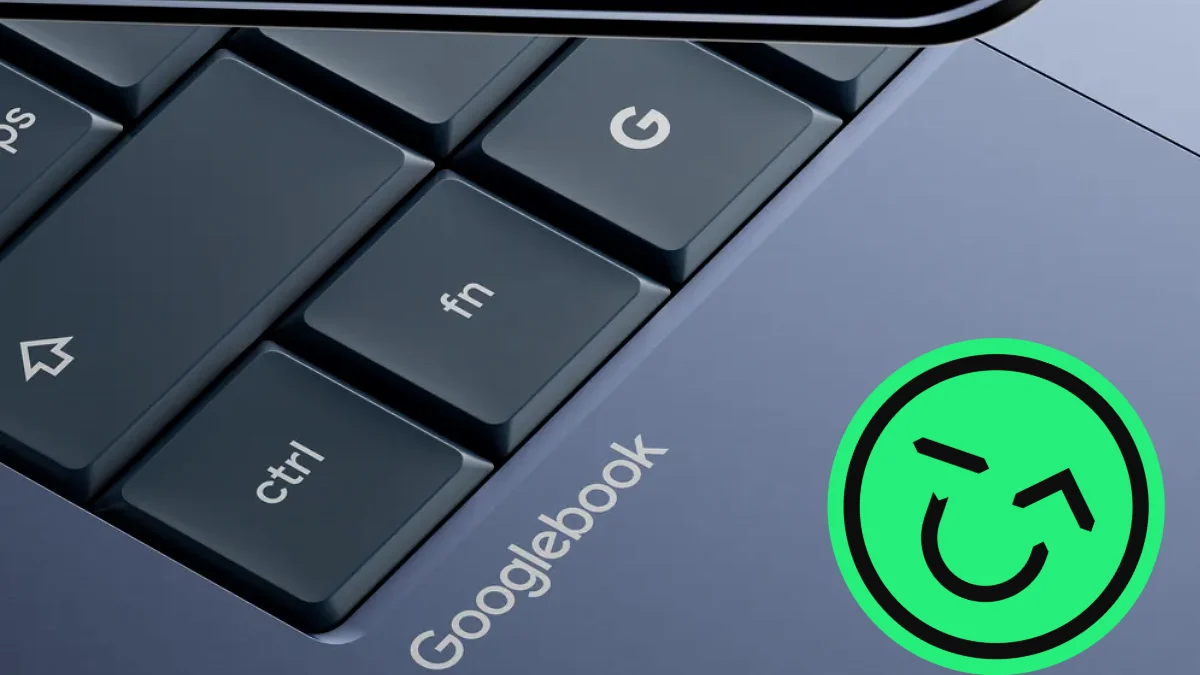
The first Googlebooks reached US stores on October 4, 2026: five laptops from Acer, ASUS, Dell, HP, and Lenovo running a brand-new operating system called Googlebook OS. Prices start at $899, which is Windows-laptop territory, not Chromebook territory. That raises three fair questions: Is a Googlebook actually worth the money? Is it a Chromebook in a nicer jacket? And did anyone ask for a laptop that lives between Windows and ChromeOS?
The short answer
A Googlebook is not just a glorified Chromebook. It runs a new Android-based operating system on genuinely premium hardware. But at launch, its app library still trails Windows, and the first models are built for personal use, not managed work fleets. It's worth it if you carry an Android phone and your day already runs on Chrome and Google apps. If you need desktop software, PC games, or an IT-managed work laptop, a Windows laptop at the same price is still the safer buy.
What Exactly Is a Googlebook?
Googlebook is a laptop category, not a single laptop. Google makes the software, and hardware partners build the machines. Under the hood, Googlebook OS runs a native Android stack on a Linux kernel, with desktop foundations carried over from ChromeOS. In 9to5Google’s review, the interface resembles ChromeOS, but the experience behaves like Android, and it’s far more polished than any earlier attempt at desktop Android.
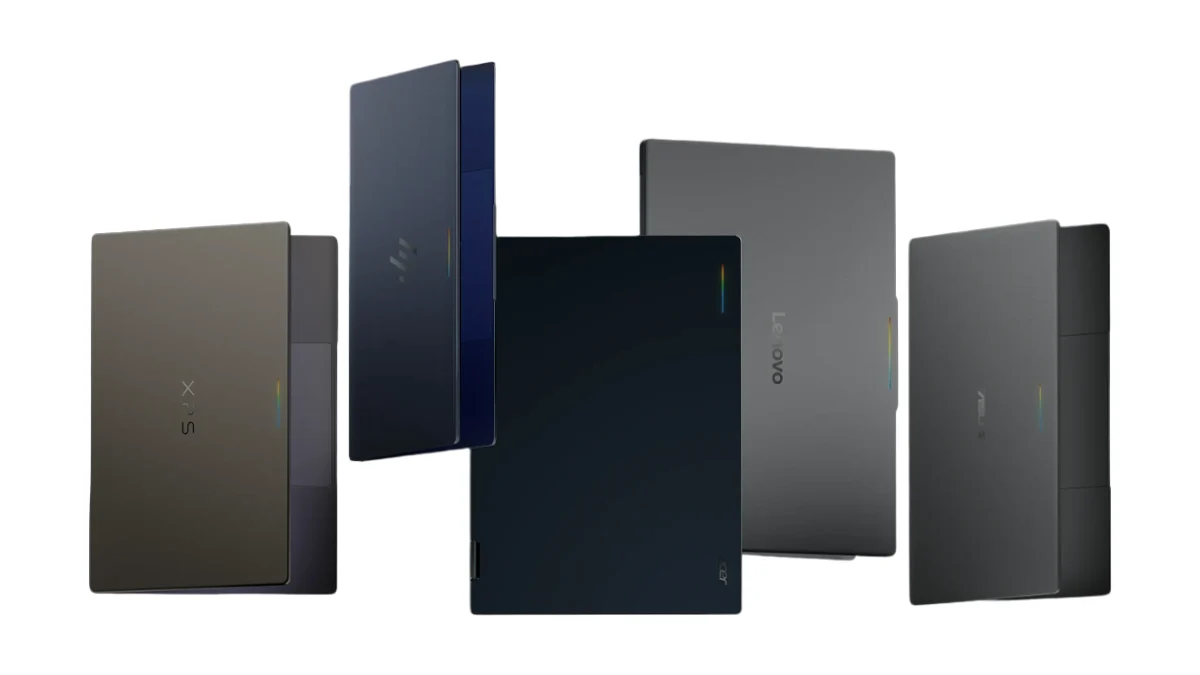
Google’s pitch rests on three ideas:
- Gemini built into everything. Wiggle the cursor and Magic Pointer offers Gemini suggestions about whatever you’re pointing at. Create My Widget builds custom desktop widgets from a simple prompt.
- Your phone, on your laptop. Signing in pulls over your Android phone’s settings, saved passwords, Wi-Fi networks, and messages, and the Continue On feature picks up phone tasks right in the taskbar.
- A premium hardware floor. Every launch model starts at 16GB of RAM with an NPU rated above 40 TOPS for on-device AI.
| Model | Starting price | Processor | Standout feature |
|---|---|---|---|
| Acer Googlebook 14 | $899 | Intel Core Ultra 5 325 | 14-inch 2.8K OLED touchscreen, 360° hinge, 2.51 lb |
| Dell XPS Googlebook | $999 | Snapdragon X Elite | Compact XPS design at about 2.2 lb |
| Lenovo Googlebook 15 | $1,099 | Intel Core Ultra (Panther Lake) | 15.3-inch 2.8K OLED, Thunderbolt 4 ports |
| ASUS Googlebook 14 | $1,299 | Intel Core Ultra | About 2.2 lb with a haptic touchpad |
| HP Googlebook 14 | $1,299 | Snapdragon X Elite | All-aluminum body, face unlock plus fingerprint |
Lenovo and Dell launched $200 below the prices Google first announced. Retailer pricing varies, so check before you buy. Specs: PCWorld, PhoneArena, Thurrott.
Is the Googlebook Just a Glorified Chromebook?
Technically, no. Practically, sort of, and that’s not entirely an insult.
Why It Isn’t
The operating system is a different animal. ChromeOS was built around the Chrome browser and, as 9to5Google puts it, never really outgrew feeling like an extension of the web. Googlebook OS is Android-native, with real windowed apps, widgets on the desktop, and Pixel-style settings.
The hardware is a different class, too. PCWorld found the Acer Googlebook 14’s aluminum-magnesium build a clear step up from mostly plastic Chromebook Plus models. In the Basemark Web 3.0 browser benchmark, it scored 1,670 versus 901 for the Acer Chromebook Plus 516, roughly 85% faster. PCWorld notes that’s not apples to apples, since the Googlebook has a newer processor and twice the RAM, but that’s exactly the point: Googlebooks start where most Chromebooks top out.
Why It Still Feels Like One
It’s still a web-first machine. Google’s own Workspace apps on Googlebook are essentially web apps in a window, and the app gap that has followed Chromebooks for over a decade is still here. Adobe’s desktop suite is the most glaring absence.
In a few ways, it’s a step back. ChromeOS had solid Linux app support; on Googlebook, the Linux Terminal Preview is focused on AI-assisted development, and Google says desktop Linux apps in the app launcher are coming, with no date. Chrome itself is built on the Android version of the browser, which brings extensions and the Gemini side panel but drops some desktop behaviors longtime Chrome users rely on.
And Chromebooks Are on the Clock
Google has set an end date: ChromeOS devices get updates and security patches through mid-2034, and many of the newest Chromebooks will be eligible to move to Googlebook OS. Google hasn’t named which models yet. So the Googlebook isn’t a glorified Chromebook. It’s the Chromebook’s replacement, arriving with a first-version rough edge or two.
| Chromebook | Googlebook | |
|---|---|---|
| Operating system | ChromeOS: browser-centric, built on Linux | Googlebook OS: Android stack plus ChromeOS desktop pieces |
| Core idea | Web-first and affordable | Phone-first, AI-first, premium |
| Typical build | Chromebook Plus models are mostly plastic | Metal chassis (Acer uses aluminum-magnesium) |
| Linux apps | Full Linux app support | Terminal preview aimed at AI development; desktop Linux apps promised later |
| Phone integration | Basic | Continue On, Cast My Apps, phone file access |
| Software updates | Through each device’s lifecycle, ending mid-2034 at the latest | 10 years, counted from the processor’s launch |
| IT management | Mature school and business tools | Arriving in the second half of 2027 |
Sources: PCWorld, 9to5Google, Thurrott, GadgetReview. Curious how premium Chromebooks used to stack up? See our HP Dragonfly Pro Chromebook breakdown.
Googlebook vs. Windows Laptop: The Real Head-to-Head
Here’s where the price tag changes the conversation. At $899 to $1,299, a Googlebook isn’t competing with budget Chromebooks. It’s competing with Windows 11 ultrabooks, several of them made by the same companies building Googlebooks.
Hardware Value: Googlebook Wins on Paper
PCWorld pointed out that the $899.99 Acer Googlebook 14 shares its Intel Core Ultra 5 325, 16GB of RAM, and 512GB SSD with the Windows-based Dell XPS 14, which cost $1,409.99 as tested. The Googlebook adds a nicer OLED display, a lighter body, and a 360-degree hinge. In everyday use, PCWorld’s reviewer got around 14 hours per charge (an informal test, not a controlled one).
Software: Windows Wins, and It Isn’t Close
Windows runs decades of desktop software: Adobe Creative Cloud, full desktop Office with add-ins and macros, niche industry tools, and your Steam library. A Googlebook runs Android apps from Google Play plus web apps. Google’s Googlebook FAQ lists Microsoft 365 support for Word, Excel, Outlook, and PowerPoint files, and Google lists Photoshop and Premiere, but how closely those versions match their desktop counterparts is still unverified. Gaming follows the same pattern: Android games work, and NVIDIA GeForce NOW cloud gaming has been announced, but availability language from Google and NVIDIA still differs.
AI: More Integrated on Googlebook, not Yet Essential
Googlebook bakes Gemini into the cursor, the desktop, and a dedicated voice-typing key. Reviewers are split on how much that matters. PCWorld found Magic Pointer worked fine but kept forgetting it existed, and listed the AI features as not especially useful. 9to5Google found the voice dictation genuinely handy, while noting that Magic Pointer and Circle to Search overlap. On the Windows side, Copilot is everywhere too; we break down whether that’s worth paying for in Should I Buy a Copilot+ PC?.
Phone Integration: Googlebook's Ace
This is Googlebook’s real advantage. Apple users have long had iPhone-to-Mac handoff; Android owners mostly haven’t had an equivalent laptop. Googlebook fills that gap with app casting, Continue On, and phone file access. One caveat: Samsung phones weren’t fully supported on day one, and that support is still rolling out. If you use an iPhone, most of the Googlebook’s best tricks don’t apply to you.
Chips: Lean Snapdragon if You Can
After using both, 9to5Google gave the edge to Snapdragon-based HP over Intel-based Acer, citing smoother performance and fewer page reloads with lots of tabs open. For the deeper chip comparison, see Intel Core Ultra 7 vs. Snapdragon X Elite.
Work and School: Windows, for Now
Google says the first Googlebooks are designed for personal consumer use, with IT management tools arriving in the second half of 2027. If your employer or school manages your laptop, a Googlebook isn’t an option yet.
| Googlebook | Windows laptop | |
|---|---|---|
| Price at launch | $899 to $1,299 | Every price tier, from budget to workstation |
| Operating system | Googlebook OS (Android-based) | Windows 11 |
| Desktop software | Android and web apps; no full Adobe desktop suite | Full desktop app library |
| Microsoft 365 | Android apps; Google lists Word, Excel, Outlook, and PowerPoint support | Full desktop Office |
| PC gaming | Android games; cloud streaming announced | Native PC games via Steam and the Xbox app |
| Android phone integration | Deep and built-in | Available through Microsoft Phone Link |
| Built-in AI | Gemini: Magic Pointer, Create My Widget, voice typing | Copilot, with extra features on Copilot+ PCs |
| Work and school management | Coming in the second half of 2027 | Mature and widely supported |
| Update promise | 10 years from the processor’s launch | Follows Microsoft’s Windows lifecycle and the maker’s driver support |
Does the Space Between Windows and Chromebooks Even Need Filling?
Honestly? Yes, but the gap isn’t quite where the marketing puts it.
When Google introduced the platform, Bloomberg reported that Googlebook targets an in-between laptop segment that offers more than Chromebooks or the cheapest Windows PCs, and that Google isn’t the only company chasing it. Apple went after the same middle with its own lower-cost laptop; we covered that in MacBook Neo: The New Standard for Affordable Computing.
The gap that’s real: the Android user’s laptop. If you own an iPhone, a Mac has felt like an extension of your phone for years. Android owners have mostly made do with Windows plus a companion app. Googlebook is the first laptop designed around the Android phone, and 9to5Google found that anyone comfortable with an Android phone adapts to it almost immediately.
The gap that isn’t: price. Windows laptops already cover $899 to $1,299 with mature hardware and a much deeper software library. For a buyer who isn’t phone-first, a Googlebook asks you to accept fewer apps for the same money. As 9to5Google put it in a follow-up, if a Chromebook wasn’t for you, a Googlebook probably isn’t either.
Illustrative positioning, not a performance ranking.
Our take: the middle didn’t need filling for most people. It needed filling for a specific person: someone loyal to Android who lives in Google apps and wants a laptop that finally feels like it belongs with their phone. For that person, Googlebook is the first laptop that seems designed for them.
So, Is the Googlebook Worth It?
It depends far less on specs than on what’s in your pocket and what’s on your to-do list.
Buy a Googlebook if…
- You use an Android phone every day, especially a Pixel.
- Your work and school life already runs on Chrome, Google Workspace, and Android apps.
- You want a light, premium laptop with an OLED screen for around $900 to $1,100.
- You’re comfortable being an early adopter while Google fills the gaps.
Buy a Windows laptop if…
- You rely on Adobe Creative Cloud, desktop Office features, or industry-specific software.
- You play PC games.
- Your employer or school manages your laptop.
- You carry an iPhone, since most Googlebook perks are built for Android.
Wait if…
- You own a recent Chromebook. It may be eligible to move to Googlebook OS.
- You need desktop Linux apps, which Google says are coming later.
- You’d rather let second-generation hardware and software iron out the launch quirks.
Resale Value: How it Affects Your Current Laptop
Googlebooks have only been on US shelves since October 4, so there’s no used-market pricing data yet. Anyone quoting a Googlebook resale figure today is guessing. A few things will shape it:
- First-generation software. Buyers of used tech pay for certainty, and Googlebook OS is still filling gaps.
- The update clock. Google’s 10-year promise starts at the processor’s launch, not your purchase date, so each year on the calendar is a year less runway for the next owner.
- Platform momentum. If Google closes the app gap quickly, demand for used Googlebooks should follow. The ChromeOS sunset is a reminder that Google does change direction.
Windows laptops, by contrast, are a known quantity on the used market. Whichever way you go, your current laptop is worth more sold than sitting in a drawer. Gadget Salvation buys used laptops from brands like Dell, HP, Lenovo, and Google. Quotes are calculated based on recent resale data and locked for 30 days. Include the original charger, otherwise, the offer will be a few dollars less (you can calculate exactly how much directly on the website). Don’t see your model? Request a custom quote.
Selling isn’t only about cash. Every laptop that finds a second owner is one less device headed for the e-waste stream, which is the whole reason electronics reselling matters. New to the process? Our complete guide to trading in your laptop walks you through it.
Upgrading? Get paid for the laptop you’re replacing.
Free quotes, prepaid shipping, and a BitRaser data wipe on every device.
Get my quoteGooglebook vs. Windows Laptop: FAQ
Is a Googlebook the same as a Chromebook?
No. Googlebooks run Googlebook OS, which is built on Android with desktop-level elements carried over from ChromeOS. Chromebooks run the browser-centric ChromeOS. Googlebooks are also positioned as premium laptops, starting at $899. Google will keep updating ChromeOS through mid-2034 and plans to move many newer Chromebooks to Googlebook OS.
How much does a Googlebook cost?
At launch (US), the Acer Googlebook 14 starts at $899, the Dell XPS Googlebook at $999, the Lenovo Googlebook 15 at $1,099, and the ASUS Googlebook 14 and HP Googlebook 14 at $1,299. Prices vary by retailer.
Can a Googlebook run Microsoft Office or Windows apps?
It can't run Windows desktop programs. It runs Android apps from Google Play plus web apps, and Google lists Microsoft 365 support for Word, Excel, Outlook, and PowerPoint files through those apps. If you depend on full desktop Office features or Windows-only software, a Windows laptop is the way to go.
Will my Chromebook upgrade to Googlebook OS?
Possibly. Google says many of its newest Chromebooks will be eligible, but it hasn't published a list of eligible models. ChromeOS will keep receiving updates and security patches through mid-2034, so a supported Chromebook doesn't need to be replaced right now.
How long will a Googlebook get software updates?
Google promises 10 years of updates and security patches, but the clock starts when the laptop's processor is launched, not when you bought the laptop.
Is a Googlebook good for gaming?
Only for casual and Android games. Native PC games from Steam need Windows. NVIDIA GeForce NOW cloud gaming has been announced for Googlebook, so check current availability before you buy.
Is a Googlebook good for work or school?
For personal use with Google Workspace, yes. For managed devices, not yet: Google says the first Googlebooks are designed for personal consumer use, and IT management tools won't arrive until the second half of 2027.
- 9to5Google — Googlebook OS review: A post-smartphone PC, if Google can keep it — OS design, Chrome limitations, app gap, Snapdragon vs. Intel observations, phone-user learning curve
- 9to5Google — Googlebook will improve support for Linux apps eventually, but it's all about AI for now — Linux Terminal Preview scope and roadmap for desktop Linux apps
- 9to5Google — Lenovo's first Googlebook actually costs $200 less than announced — Corrected Lenovo Googlebook 15 ($1,099) and Dell XPS Googlebook ($999) launch prices
- 9to5Google — If a Chromebook wasn't for you, Googlebook isn't either — Audience framing for the middle-ground section
- 9to5Google — Googlebook improving 'Better Together' Android sync features, Samsung support rolling out — Status of Samsung phone support
- PCWorld — Acer Googlebook 14 review: The AI isn't the best part — Acer specs and $899.99 price, Basemark Web 3.0 comparison, informal battery result, Dell XPS 14 price comparison, AI impressions
- PhoneArena — Googlebook is finally here: the laptop your Pixel or Android phone has been waiting for — Lineup, chips, weights, 16GB RAM floor, NPU rating, OS architecture, phone sign-in features
- Thurrott — Google Will Stop Supporting ChromeOS in 2034, But Promises Googlebook OS Upgrade for "Many Devices" — ChromeOS mid-2034 end date, migration eligibility, consumer focus, IT management timing
- Thurrott — Lenovo Googlebook 15 First Impressions — Lenovo display specs and Thunderbolt 4 ports
- GadgetReview — Google Confirms ChromeOS Support Through 2034 as Googlebook OS Approaches — 10-year Googlebook update window counted from processor launch (citing Tom's Hardware)
- The Gadgeteer — Googlebook app compatibility tracker — Microsoft 365 support listed in Google's FAQ, Photoshop and Premiere listings, GeForce NOW status
- Bloomberg (via Advisor Perspectives) — Google debuts Android Googlebook laptop platform — In-between laptop segment framing and competing efforts
Last reviewed October 14, 2026. Googlebook pricing, app support, and software features are changing quickly after launch; check current details before buying.