How to Check Activation Lock Before Selling an iPhone
Activation lock can freeze a sale for both sides. Here's how to check it before you sell, and how to protect yourself before you buy.
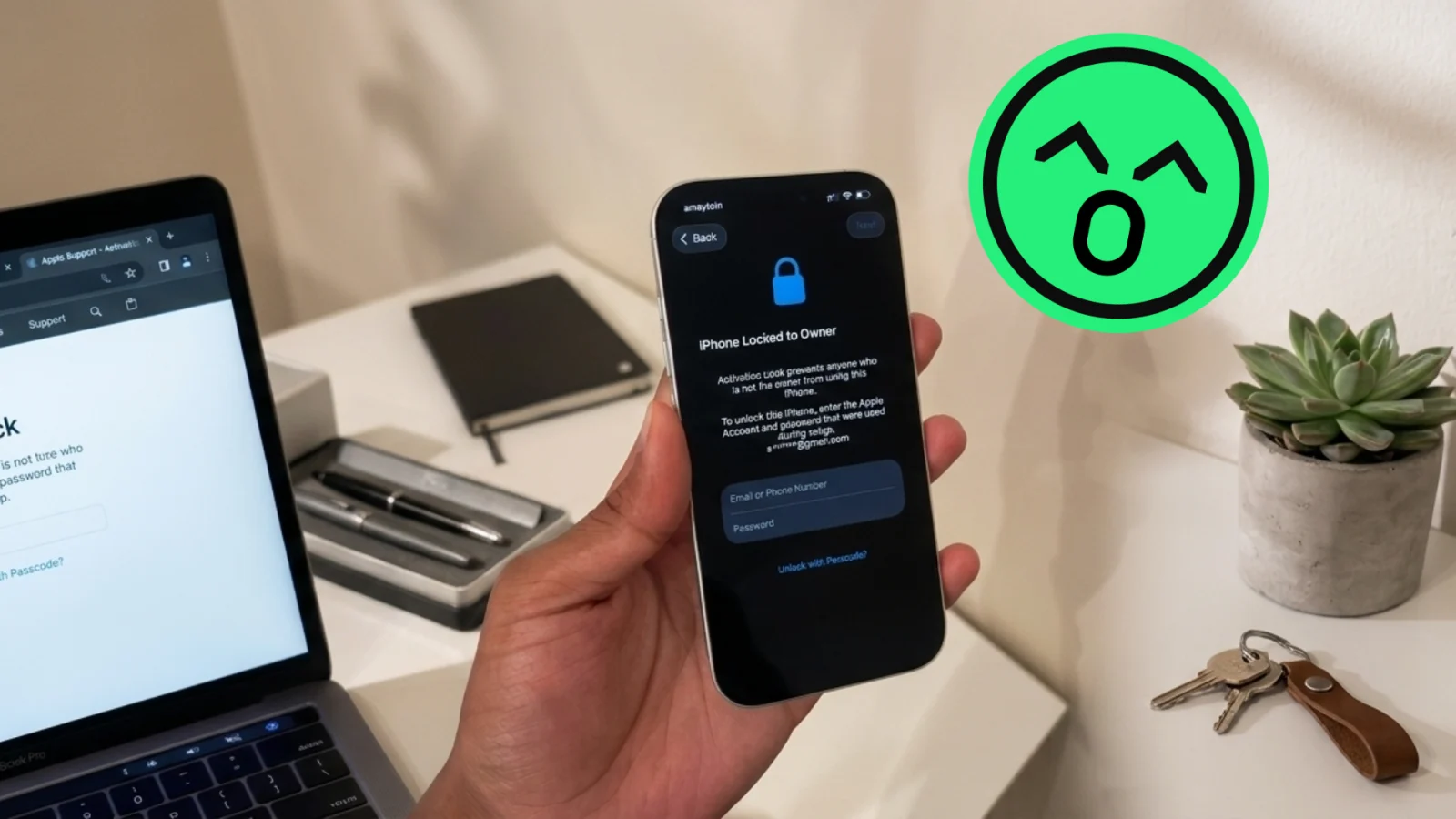
In this article
How to check activation lock before selling an iPhone
Go to Settings, tap your name, scroll to Find My, and turn off Find My iPhone before you list the device. That single step removes activation lock, because the lock is tied directly to Find My and the Apple ID signed into it. If you can't get into the phone to do this — a forgotten password, a device bought secondhand that still shows someone else's name — you need to resolve that before a sale happens at all. Buyers worry about the same thing from the other direction: they want to confirm a phone isn't locked to a stranger's Apple ID before they hand over money. Both problems have the same root cause and the same fix.
What activation lock actually does
Activation lock ties an iPhone, iPad, or Apple Watch to the Apple ID that last set up Find My on it. It's an anti-theft feature, not a bug, and it works as intended: a stolen or lost device becomes useless to whoever has it, because setup can't finish without the original owner's Apple ID and password. The problem shows up when the feature works correctly on a device that's changing hands legitimately. A seller who forgets to sign out, or who sells a phone that was never fully theirs to begin with, leaves the buyer with an expensive paperweight.
This is also why activation lock status matters more than almost any other check in a used-iPhone sale. A cracked screen is a cosmetic issue. A locked device is often a non-starter.
How to check activation lock before selling: a seller's checklist
Before you list an iPhone, confirm three things in order:
- Sign in to iCloud.com or the Find My app and make sure the device isn't still reporting your location.
- Go to Settings > [your name] > Find My > Find My iPhone, and turn it off. You'll need your Apple ID password.
- If the phone is tied to a different Apple ID than the one you currently use — common with hand-me-down phones or devices bought used yourself — sign in with that original account to disable Find My, or ask the previous owner to remove the device remotely from their own iCloud.com account.
Once Find My is off, do a factory reset through Settings > General > Transfer or Reset iPhone > Erase All Content and Settings. A phone that boots to the "Hello" setup screen with no Apple ID prompt is clean. This is the same core process we walk through for Apple Watch activation lock and for MacBook activation lock, since all three run on the same Find My infrastructure.
How buyers can check activation lock before buying an iPhone
Ask the seller to erase the phone in front of you, or over a video call, and watch it reach the initial setup screen. That's the most reliable check available to a buyer, because it proves Find My is off and no Apple ID is attached. If a seller resists doing this, or the phone restarts and immediately asks for someone else's Apple ID and password, stop the transaction. There's no safe workaround for a locked phone — you can't register it, you can't use it as a daily device, and resale value drops close to zero.
A secondary check: ask for the IMEI or serial number and look it up through Apple's own activation lock status page, or have the seller check it from Settings > General > About. This confirms lock status without requiring a full reset, which is useful if you're inspecting a phone before agreeing to buy it.
If you're shopping for a phone and want to sidestep this risk category entirely, an Android device purchased unlocked from a retailer — something like a Samsung Galaxy S24 Ultra Unlocked or Samsung Galaxy S24 Unlocked — doesn't carry Apple's activation lock system at all, though Google accounts have a comparable Factory Reset Protection you'd want to check in the same way.
What to do if activation lock won't clear
If you don't have the original Apple ID credentials, contact Apple Support with proof of purchase. A receipt, the original box with serial number, or an invoice from the carrier is usually what Apple asks for to manually remove the lock on your behalf. Without proof of ownership, Apple generally won't remove the lock, and that's by design — it's the same protection that makes a stolen phone worthless to a thief.
This is also where timing matters. If you're planning to sell an iPhone anyway, doing it while you still have full access to the account and your original purchase records makes the whole process faster. Our guide on the best time to sell your iPhone covers how model age and release cycles affect value, but access to your own Apple ID is the thing that affects whether you can sell it at all.
Once a device is unlocked and reset, a reputable buyback service will test it and make an offer without you needing to negotiate point by point — our guide on negotiating the best offer when selling your iPhone is useful if you want to compare offers first. If you'd rather skip listing it yourself, you can sell your iPhone directly once it's confirmed clean.
Frequently asked questions
How do I know if an iPhone is activation locked?
Check Settings > General > About for the serial number, then look it up on Apple's activation lock status page, or simply try erasing the device. If it asks for an Apple ID and password you don't have during setup after an erase, it's locked. A seller who can erase the phone and reach the normal setup screen without a prompt has a clean device.
Can I remove activation lock without the previous owner?
Only with proof of purchase submitted to Apple Support. Without a receipt, invoice, or other ownership documentation, Apple will not remove the lock, because the entire point of the feature is to prevent exactly that. If you bought a device secondhand and the seller won't cooperate, your only path is Apple Support with documentation, and it isn't guaranteed to work.
Does factory resetting an iPhone remove activation lock?
No, not by itself. If Find My is still signed in to an Apple ID when you erase the phone, activation lock stays active and the device will ask for that Apple ID's password during setup. You have to turn off Find My under Settings first, then erase the device.
Is activation lock the same as a carrier lock?
No, they're separate systems. Activation lock is Apple's Find My-based protection tied to an Apple ID; carrier lock restricts which SIM cards work in the phone and is controlled by the carrier, not Apple. A phone can be carrier-unlocked and still activation locked, or carrier-locked and activation-lock free.
What happens if I buy a locked iPhone by accident?
You'll be stuck at setup unless the seller removes the lock remotely or gives you the original Apple ID credentials. Contact the seller immediately and ask them to sign in to iCloud.com and remove the device from their account. If they're unreachable or refuse, request a refund through whatever platform or payment method you used, since a locked phone has very little resale value as-is.