Is This Used MacBook a Good Deal? What to Check First
A used MacBook or iPad can be a smart buy, but the price alone won't tell you that. Here's what to verify before you pay.
In this article
Is this used MacBook a good deal? Start with the math, not the price tag
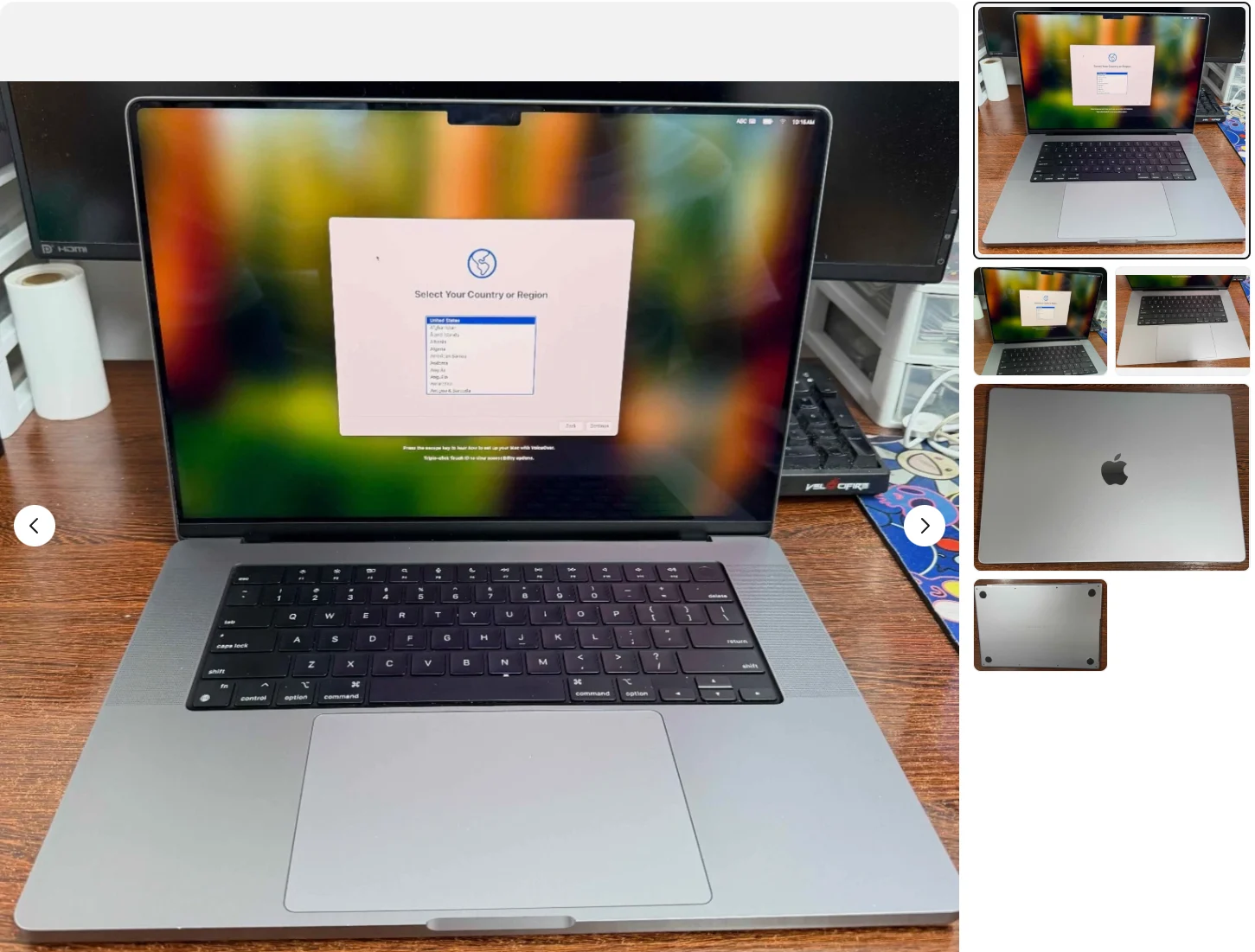
A used MacBook or iPad is a good deal when the price reflects its actual condition, not just its model name. Two MacBook Pro 13-inch M2 (2022) units can be listed at the same price and be worth very different amounts, depending on battery health, screen wear, and whether the seller can prove they actually own it. So the question isn't really "is this used MacBook a good deal" in the abstract. It's whether this specific unit, at this specific price, holds up once you look past the listing photos.
That means a short checklist before any money changes hands. None of it takes more than a few minutes, and all of it is the seller's job to show you, not yours to assume.
Check the battery cycle count before anything else
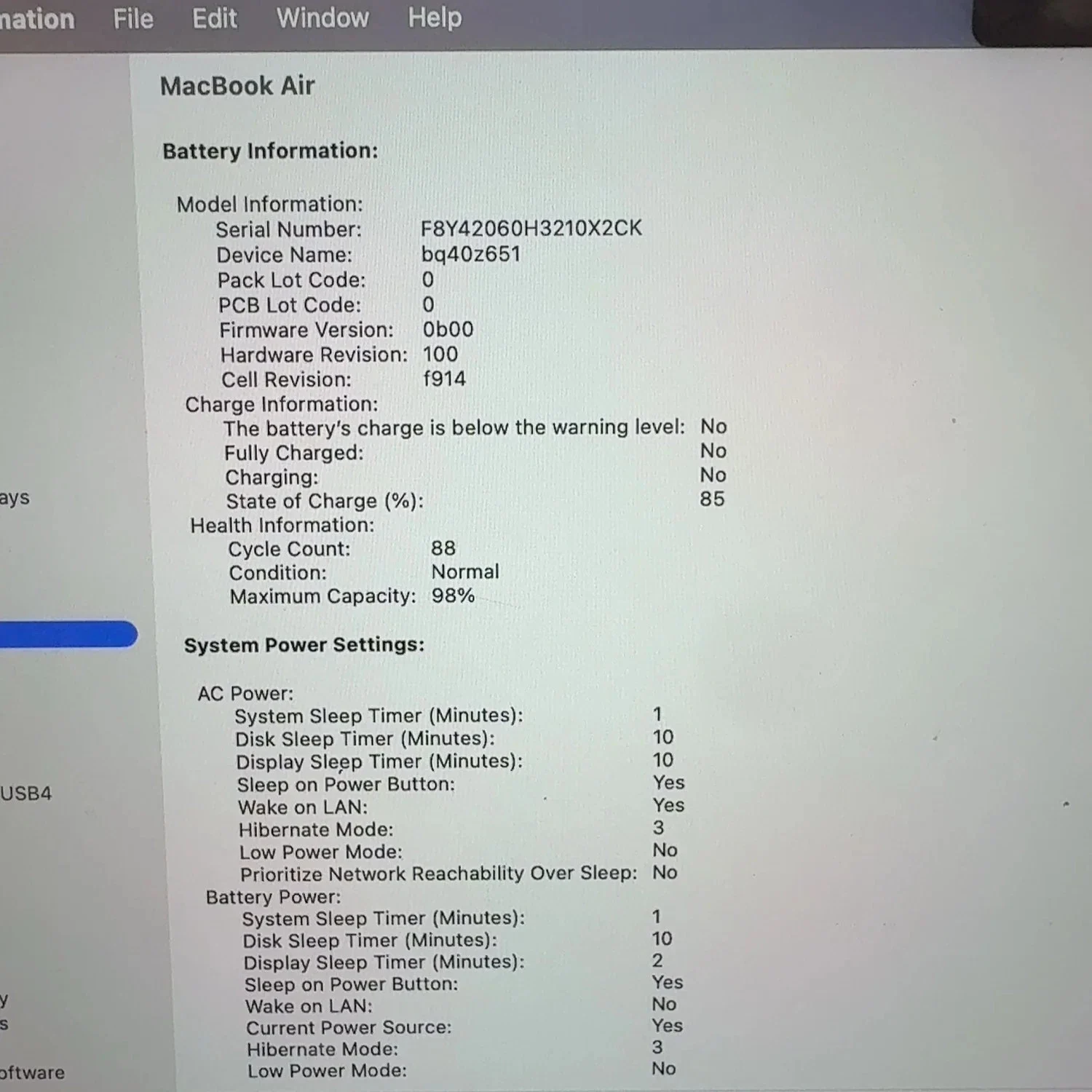
Battery health is the single biggest hidden cost in a used Mac or iPad. On a MacBook, go to About This Mac, then System Report, then Power, and ask the seller to send a screenshot of the cycle count and maximum capacity. A battery with a few hundred cycles and capacity still near its original rating is normal for a two- or three-year-old machine. One with a high cycle count and a capacity that's dropped noticeably means you're looking at a near-term battery replacement, and that cost should come off the asking price.
iPads make this harder to check, since Apple doesn't expose cycle count the same way. A reasonable proxy is battery behavior: ask the seller how the device holds up through a normal day, and treat vague answers as a yellow flag.
Confirm the serial number and Activation Lock status
A locked device is not a deal at any price. Before you pay, get the serial number from Settings > General > About (or About This Mac) and check it against the listing photos — sellers sometimes post one device and ship another. Then confirm Activation Lock is off. If the seller can't walk through turning it off with you present, or over a video call, don't buy it. A Mac or iPad that's still tied to someone else's Apple ID can turn into an expensive paperweight, and there's no fix on your end. Our guide on checking and clearing Activation Lock covers exactly what that process should look like from the seller's side.
Look at the exterior for keyboard, hinge, and screen damage
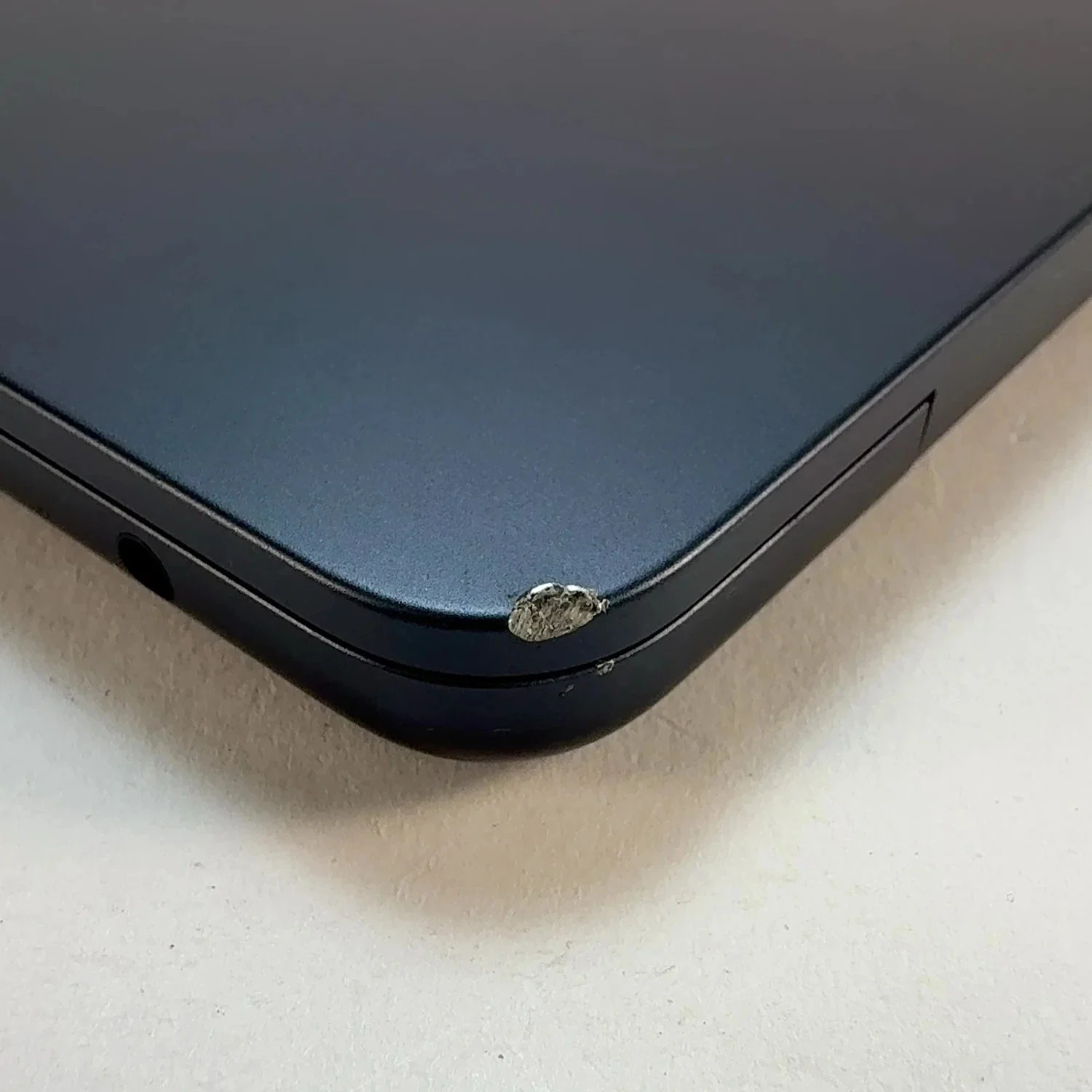
Cosmetic damage is a negotiating lever, not a dealbreaker, but only if you catch it before you pay. On a MacBook, test every key, check the hinge for stiffness or play, and look at the screen at an angle in bright light for coating wear or faint discoloration near the edges. On an iPad, check the screen for micro-cracks around the edges (common after drops even when the glass looks intact face-on) and confirm Face ID or Touch ID actually works, since a swapped screen can disable it silently.
None of this is unusual to ask for. A seller with nothing to hide will send extra photos or hop on a call without pushback.
Match the specs to the model year, not just the name
"MacBook Pro" and "iPad Pro" cover years of hardware, and the differences are not small. A MacBook Pro 13-inch (2020) and a MacBook Pro 14-inch M4 (2024) share a product line and nothing else in terms of performance, port selection, or chip architecture. Apple's own MacBook Pro tech specs page is the fastest way to confirm what a given generation actually shipped with, since sellers occasionally get the year or chip wrong by accident, not by design.
The same applies to iPads. An iPad Air 4 and an iPad Air M2 look similar in photos but sit a full generation apart in processor and RAM ceiling. Ask for the exact model identifier from Settings > General > About, not just the name on the box, and cross-reference it before you agree on price.
If you're weighing whether a specific configuration still holds its value compared to buying new, our breakdown of fair resale pricing on a two-year-old laptop with upgraded storage walks through the same logic, applied to Windows machines, and most of it transfers directly.
iPad: what's different when you're buying secondhand
The main risk with a used iPad is cellular lock and carrier history, not hardware wear. If you're buying a cellular model, ask whether it's carrier-locked and get the IMEI to check independently before paying. Storage tier also matters more than people expect: a 64GB iPad that's filled with photos and apps will feel slower in daily use than the spec sheet suggests, regardless of chip. Confirm the storage tier against the model identifier, since resellers sometimes round up casually in a listing.
When a "good deal" still isn't a good buy for you
A low price doesn't make a device right for your use case. If you need heavy multitasking or sustained compute, an older MacBook Air with a worn battery and no Thunderbolt 4 might be cheap for a reason, not a bargain. Be honest about what you'll actually do with the machine before condition and price even enter the conversation. And if you're on the other side of this transaction, trying to figure out what your own MacBook or iPad is worth before selling it, getting a quote and seeing how it compares to the final paid amount is worth reading first. When it's time to sell instead of buy, you can get a quote for a MacBook or a quote for an iPad in a few minutes, with no listing to manage and no buyer to vet.
Frequently asked questions
How do I check battery health on a used MacBook before buying?
Open About This Mac, then System Report, then Power, and look at cycle count and maximum capacity. A low cycle count with capacity near the original rating is a good sign. A high cycle count paired with reduced capacity means you should expect a battery replacement soon and negotiate the price down to reflect that cost.
What's a reasonable price for a used MacBook Pro?
It depends on the model year, chip, storage tier, and battery condition, more than any single number. Compare the exact configuration against current listings for the same generation in similar condition, and weight battery health and screen condition heavily, since those two factors swing value the most on an otherwise healthy unit.
How can I tell if a used iPad or MacBook is stolen?
Check that Activation Lock is off and that the seller can demonstrate removing it from their own Apple ID in front of you. Also compare the serial number on the device against what's shown in the listing. A seller who hesitates on either request is a reason to walk away, regardless of how good the price looks.
Does a cracked screen mean I should skip the deal?
Not automatically, but it should lower the price and raise questions. Check whether the crack affects touch response or Face ID and Touch ID, since those failures often mean the display or sensor assembly was replaced with a non-genuine part, which affects future resale value too.
Is it safe to buy a used iPad with cellular data?
It can be, but only after confirming it isn't carrier-locked and checking the IMEI independently before paying. A cellular iPad locked to a previous carrier account can be unusable for data even if everything else about the device checks out fine.
Should I buy an older MacBook if the price is very low?
Only if it genuinely fits what you'll use it for. A very low price on an older MacBook Air or Pro often reflects a worn battery, limited ports, or a chip that struggles with modern workloads, and those trade-offs matter more than the sticker price once you're using the machine daily.