Do You Know What Is QHD Display Resolution?
QHD displays make images look crisper and sharper. There are many screen resolution standards. Perhaps it might be a little confusing for you to…
In this article
QHD displays make images look crisper and sharper.
There are many screen resolution standards. Perhaps it might be a little confusing for you to choose the correct display that covers your needs. With that said, do you know what QHD and WQHD displays are? Don’t worry! We will explain the definition of the QHD and WQHD below. We will also touch on their advantages and disadvantages, and help you figure out if you need one.
And if you are a gamer, we recommend checking our QHD vs FHD for gaming laptops post for more details.
To keep in mind:
- QHD = 2560 x 1440 pixels
- WQHD = 3440 x 1440 pixels
- HD = 1280 x 720 pixels
- FHD= 1920 x1080 pixels
What’s the definition of QHD?
QHD is the acronym for Quad High Definition. It’s a resolution standard for premium monitors, mobile devices, and, lately, laptops. QHD display resolution measures 2560 x 1440 pixels at a 16:9 aspect ratio, commonly referred to as 2K. This resolution is four times the pixel count of standard high definition (HD) 1280 x 720p.
Resolution explains how many pixels a display has, in a width-by-height format. The more pixels a display panel has, the sharper the image quality. Therefore, QHD resolution is suitable for large screens, enabling clearer, sharper images.
What about WQHD?
Perhaps you have seen QHD resolution referred to as WQHD. Well, WQHD is the acronym of a wide quad high definition. That’s it.
Both acronyms represent the exact resolution, 2560 x 1440, but the WQHD emphasizes the widescreen 16:9 aspect ratio. Please note that WQHD monitors have 1440 vertical pixels and have 880 more horizontal pixels than QHD (2560 pixels) for widescreen use.
What’s the difference between QHD and WQHD?
The main difference is that WQHD has 880 more pixels, designed to fit widescreen displays without stretching the image or adding black bars on the sides. The added pixel helps deliver ultra-sharp images and clear text, which is particularly important for creatives.
Overall, QHD and WQHD share the same resolutions, except for a slightly wider WQHD screen.
The benefits of a QHD resolution
There are many benefits to using QHD or WQHD resolution displays. For example, the resolution is slightly sharper than FHD. Also, QHD displays might be less common and more expensive, but they can fit any screen panel larger than 27 inches without looking stretched.
Namely, creative professionals like designers and programmers benefit from the added screen real estate of WQHD, allowing them to have more workspace. For example, users can boost overall productivity by viewing multiple tabs simultaneously. Also, designers can easily zoom into details across their entire workspace, or content writers can keep web pages as they create content.
Overall, QHD displays boost reading comprehension by making the text more visible at once, help users complete their tasks faster, and reduce window management time.
QHD for Gaming
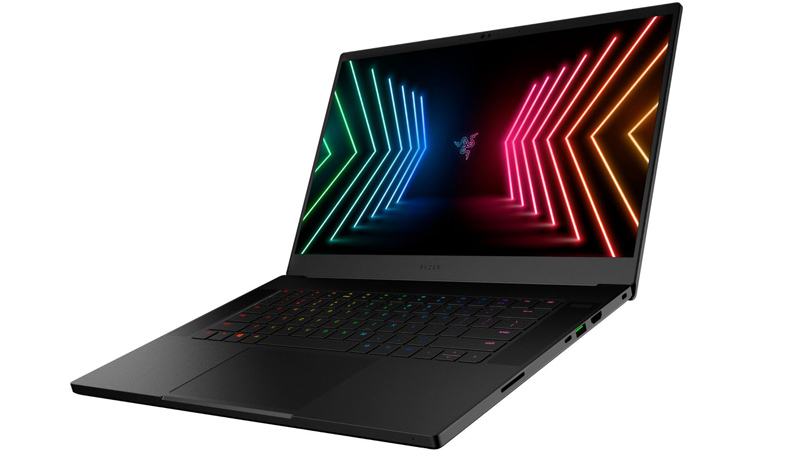
Today, many laptop manufacturers are offering QHD displays on laptops equipped with the latest high-end graphics, such as gaming laptops like the Acer Nitro 5, Razer Blade 15, and Lenovo Legion 2021. This gives you more screen space to play games like War Zone and makes images crisper with better color accuracy.
Any drawbacks?
For one, those displays are less common and more expensive than 1080p (FHD) displays. Also, laptops with those types of screens tend to drain battery faster than those with an FHD display.
Bottom Line
Laptops with QHD or WQHD screens are more suitable for creative professionals like designers, web developers, and producers. Having more pixels allows for sharper and more detailed images. However, remember that QHD displays consume much of your battery and are even more expensive than FHD displays. If you want to upgrade your current device, you can go through a laptop trade-in with Gadget Salvation. It’s the most convenient and one of the quickest ways to sell pre-owned gadgets online. Visit the website and see how much your device is worth!