Microsoft Surface Pro 13 Snapdragon X2 Elite: Outstanding or Good Enough?
The mid-2026 release of the Microsoft Surface Pro 13-inch (12th Edition) marks a massive milestone for Windows on Arm. Powered by Qualcomm’s second-generation Snapdragon…
In this article
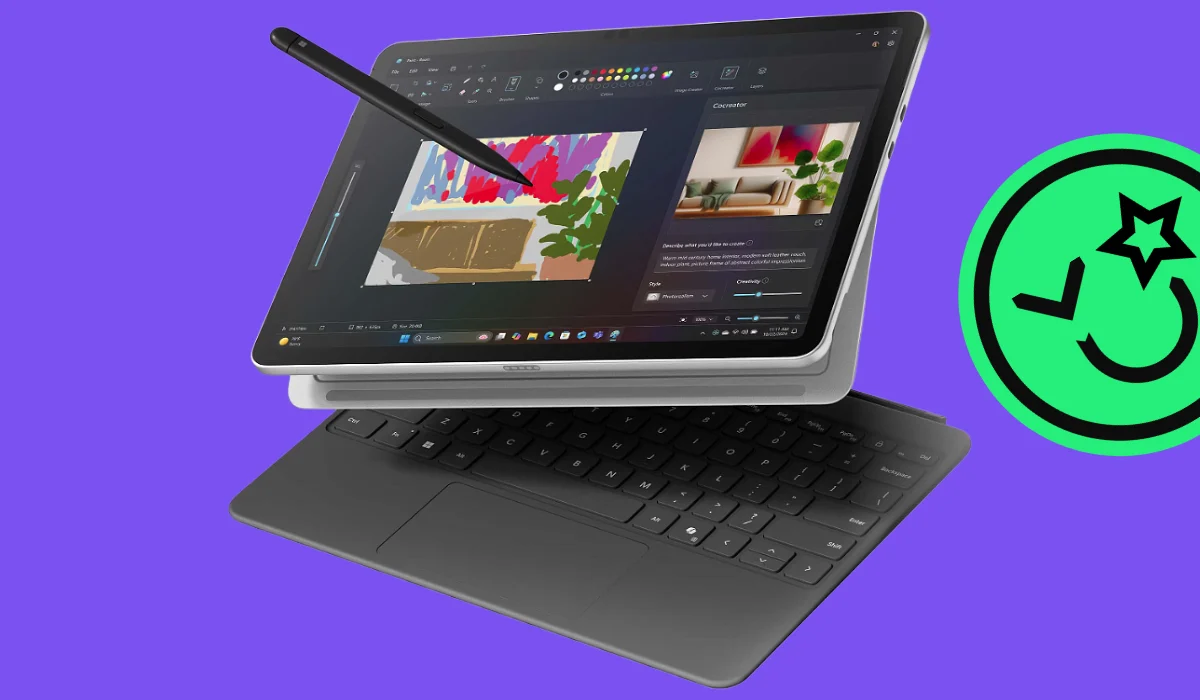
The Surface Pro 13 with Snapdragon X2 Elite is a very good tablet whose headline upgrade is the graphics, not the processor. In independent testing its CPU lands only a few percent ahead of last year's model, while the GPU is roughly 40% faster. It also costs $300 more than the outgoing version. Whether that's outstanding or merely good enough depends almost entirely on what you were going to do with it.
Microsoft launched the 2026 Surface Pro on June 16 alongside a refreshed Surface Laptop. It's the twelfth-generation Surface Pro, and the second-generation Windows-on-Arm silicon inside it is genuinely a milestone for the platform. But the story that got told at launch — a flagship 2-in-1 challenging Apple silicon outright — doesn't survive contact with the measured numbers. Here's what the hardware actually does.
The chip Microsoft actually chose
This is the single most important thing to understand before reading any spec sheet, and it's routinely glossed over. Qualcomm's Snapdragon X2 Elite family spans several parts, from a 12-core entry SKU up to an 18-core Extreme variant boosting to 5.0GHz. Microsoft fitted the Surface Pro with the X2E-78-100 — the slowest X2 Elite in the lineup.
It's a 12-core chip: six performance cores at 4.0GHz and six efficiency cores at 3.4GHz, drawing up to 30W in short bursts before settling to 18W sustained. The GPU is the Adreno X2-85, not the X2-90 you'll see quoted in a lot of coverage, and it runs at 1.35GHz where other implementations reach 1.7GHz. None of that makes it a bad chip. It does mean benchmark figures published for the X2 Elite Extreme have nothing to do with this tablet.
| Component | Specification |
|---|---|
| Processor | Qualcomm Snapdragon X2 Elite X2E-78-100 · 12 cores (6 × 4.0GHz + 6 × 3.4GHz), Oryon v3 · 30W burst / 18W sustained |
| Graphics | Qualcomm Adreno X2-85 at 1.35GHz |
| NPU | Hexagon, 80 TOPS INT8 · Copilot+ certified (up from 45 TOPS last generation) |
| Display | 13″ OLED, 2880 × 1920 (3:2), 266 PPI, 120Hz · measured ~600 nits SDR, 930 nits peak HDR · 98.8% sRGB and P3 |
| Memory / storage | 16–64GB LPDDR5X · 256GB–1TB · user-replaceable M.2 2230 SSD |
| Ports | 2 × USB4 40Gbps (DisplayPort 1.4a, Power Delivery) · Surface Connect · no headphone jack, no card reader |
| Wireless | Qualcomm FastConnect 7800 · Wi-Fi 7 · Bluetooth 5.4 · 5G reserved for business models |
| Battery | 53Wh · measured 11h 50m Wi-Fi browsing at 150 nits, 6h 27m at maximum brightness |
| Size & weight | 287 × 209 × 9.3 mm · 882 g (1.94 lb), tablet only |
| Price | From $1,499 (LCD, X2 Plus) · $1,799 as tested (OLED, X2 Elite, 16GB, 512GB) · keyboard sold separately |
Measured figures from Notebookcheck's July 2026 review of a retail unit. Chip specifications cross-checked against Qualcomm's Snapdragon X2 Elite product brief.
Performance: measured, not projected
The generational CPU gain is small. Against the Snapdragon X Elite X1E-80-100 in the outgoing Surface Pro, multi-core throughput improves by about 4% and single-core by roughly 16%. That single-core lift is real and you feel it in responsiveness, but the "generational leap" framing applied to this tablet's multi-core performance isn't supported by the numbers.
| Benchmark | Surface Pro 13 X2 Elite | Surface Pro 11 X Elite | Change |
|---|---|---|---|
| Geekbench 6.7 multi-core | 15,102 | 14,458 | +4% |
| Geekbench 6.7 single-core | 3,287 | 2,845 | +16% |
| Cinebench 2024 multi-core | 1,078 | 893 | +21% |
| Cinebench 2024 single-core | 133 | 123 | +8% |
| 3DMark Steel Nomad | 711 | 477 | +49% |
| 3DMark Time Spy graphics | 2,605 | 1,700 | +53% |
Notebookcheck measurements, Best Performance profile. The Surface Pro 11 comparison unit uses the Snapdragon X Elite X1E-80-100 with Adreno X1-85.
The graphics improvement is the real story: roughly 40% faster than the previous Adreno on average, and better than 50% in the synthetic tests above. There's an important caveat, though. Despite that gain, the Adreno X2-85 still measures slower than the Intel Arc 140V graphics in the 2025 Intel-based Surface Pro across most tests. The generational leap is genuine relative to Qualcomm's own past, less so relative to the competition.
Gaming: possible, not comfortable
You can play games on this. You will be turning settings down.
| Title | Low | Medium | High | Ultra |
|---|---|---|---|---|
| Cyberpunk 2077 (2023) | 40.7 | 31.9 | 27.2 | 23.9 |
| Baldur's Gate 3 (2023) | 39.4 | 29.3 | 25.6 | 25.0 |
| Dota 2 Reborn (2015) | 91.8 | 76.2 | 68.1 | 60.9 |
| GTA V (2015) | 135.9 | 127.5 | 62.5 | 27.2 |
| Strange Brigade (2018) | 196.2 | 70.4 | 57.6 | 48.3 |
Frames per second, upscaling off. Cyberpunk 2077 at Ultra averaged 23.9 fps with a 19.7 fps minimum across the run.
Modern demanding titles land in the low-to-mid twenties at Ultra and need Medium or Low to feel playable. Older and lighter games run comfortably. The bigger obstacle isn't frame rate anyway — it's that kernel-level anti-cheat used by most competitive multiplayer titles still doesn't support Arm Windows, which rules those games out regardless of how fast the GPU is.
Worth knowing before you buy
Under sustained load the chassis reaches about 46 °C (115 °F) on the rear, and the fan hits 47 dB(A) during stress testing — audibly loud, though the tablet is silent in ordinary use. The OLED panel also uses PWM dimming at 480 Hz below 80% brightness. That frequency is high enough that most people won't notice, but if you're sensitive to screen flicker it's worth testing in person.
Battery life
Microsoft rates the tablet at up to 15.5 hours of local video playback, up from 14 hours last generation. Independent testing under a more realistic load — Wi-Fi web browsing with the screen at 150 nits — returned 11 hours 50 minutes, about 40 minutes better than the previous model. Run the OLED at full brightness and that falls to 6 hours 27 minutes. That's a solid all-day result for typical indoor work, and a reminder that screen brightness matters more than the chip for how long you actually last. If you want to measure your own, our guide to testing real laptop battery life covers the method.
Does it replace a computer?
For most knowledge work, yes. Windows on Arm has matured substantially — the Prism emulation layer handles mainstream x86 software without drama, and Notebookcheck describes compatibility as noticeably improved while still recommending you verify your specific applications first. Both USB4 ports carry DisplayPort, so it drives a multi-monitor desk setup properly.
| Use case | Verdict | Why |
|---|---|---|
| Office, research, email, calls | Excellent | Fast, quiet, all-day battery, superb 3:2 display with more vertical space than a 16:10 laptop. |
| Illustration and note-taking | Excellent | Pen input and the tablet form factor are the reason to choose this over a laptop at all. |
| Photo editing | Good | Colors are accurate out of the box for sRGB and P3, no calibration needed. |
| Video and 3D work | Limited | GPU trails the Intel Surface Pro from 2025; sustained loads run warm and loud. |
| Competitive gaming | No | Arm anti-cheat incompatibility blocks most multiplayer titles outright. |
| Specialized legacy x86 software | Check first | Niche enterprise and proprietary tools may run slowly or not launch. |
Is it worth $1,799?
That's the configuration most people comparing against a MacBook Air will actually be pricing: OLED, X2 Elite, 16GB, 512GB. Add a Flex Keyboard and the working total clears $2,100. The base $1,499 model is a different machine — LCD panel, 10-core X2 Plus, 256GB.
The awkward comparison isn't with Apple. It's with last year's Surface Pro. The 2026 model costs $300 more than the 2024 version at the same tier, and outside graphics the performance difference is modest enough that Notebookcheck's reviewers explicitly recommend buying the previous generation while it remains available. If you're shopping new, that's a genuinely useful piece of advice. If you're shopping used, it's even more relevant.
Depreciation and what yours will be worth
Windows 2-in-1s depreciate faster than MacBooks. The reason is structural rather than a knock on the hardware: demand for pre-owned Apple devices is consistently higher, Apple supports its machines across more generations, and Microsoft's annual iteration cadence means every Surface Pro is superseded within about a year.
This generation adds a specific pressure. When reviewers are recommending the previous model as the better buy, that keeps prior-generation units desirable and compresses the premium a current-generation tablet can command secondhand. The practical implication for owners is the same either way: sell while your unit is still current and in good condition, rather than after the next announcement.
On what to expect for a number — be careful with confident retention percentages, including ours. Actual offers depend on configuration, condition, and timing, and the OLED and higher-storage variants hold up better than base LCD models. Gadget Salvation prices against condition tiers you select at quote time and confirm on inspection, so the most reliable way to find out is to run a quote on the Surface Pro trade-in page and compare it against what you paid. We buy across the full condition range, including units with cracked screens or that won't power on. If you're weighing options generally, our guide to trading in, reselling, or donating an old laptop lays out the routes, and the 2026 back-to-school laptop guide puts this class of machine next to its alternatives.
Upgrading?
Find out what your Surface Pro is worth.
Free instant quote. Free shipping. Payment by PayPal, Venmo, Zelle, or check after inspection.
Get my quoteThe verdict
Notebookcheck scored this 84% — good, not exceptional — and that reads about right. The chassis, display, cameras, and Wi-Fi 7 are all excellent, the replaceable M.2 2230 SSD is a genuine advantage over sealed competitors, and the graphics jump is the most meaningful upgrade Windows on Arm has had. Against that: Microsoft chose the slowest X2 Elite, CPU gains are modest, it runs warm and loud under load, and there's no headphone jack or card reader.
- Buy it if you want a premium 2-in-1 with pen input, all-day battery, and a superb 3:2 OLED, and your work is documents, browsing, calls, and creative tablet tasks.
- Buy last year's model instead if you're price-sensitive — the gap is small and the discount isn't.
- Skip it if you need serious GPU throughput, play competitive multiplayer, depend on niche x86 software, or can't work around the missing headphone jack.