MSI Raider GE67HX Review: The 2022 Flagship That Still Hits Hard in 2026
MSI Raider GE67HX review: this 2022 Core i7-12800HX gaming laptop still hits hard in 2026. Full specs, real benchmarks, OLED verdict, and current resale value.
In this article
Most gaming laptops from 2022 have quietly slid into the "budget option" bracket — the thing you settle for when the current generation is out of reach.
The MSI Raider GE67HX didn't. It was among the first 15.6-inch laptops built around Intel's Alder Lake-HX platform, and that one engineering decision — a desktop die in a mobile package — is why a four-year-old machine still turns in frame rates that embarrass plenty of newer mid-range hardware.
This review covers what the GE67HX actually delivers today, where it genuinely falls short, and what it's worth if you're ready to move on from it.
Specs at a glance
| Component | Configuration |
|---|---|
| Model line | Raider GE67 HX 12UGS / 12UHS (2022) |
| CPU | Intel Core i7-12800HX (16C/24T, 1.5–4.8 GHz) or Core i9-12900HX |
| Power limits | 110 W sustained (PL1), 190 W short burst (PL2) |
| GPU | GeForce RTX 3070 Ti (12UGS) or RTX 3080 Ti (12UHS), 150 W TGP, MUX switch |
| Display | 15.6" 240 Hz OLED (FHD and QHD SKUs), plus IPS options |
| Memory | 16–64 GB DDR5-4800, 2× SODIMM slots |
| Storage | 1–2 TB PCIe 4.0 NVMe, 2× M.2 2280 slots |
| Battery | 99.9 Wh |
| Power adapter | 330 W (~1.36 kg) |
| Ports | Thunderbolt 4, USB4 40 Gbps, USB-C 3.2 Gen 2×2, 3× USB-A, HDMI 2.0, 2.5 GbE, SD |
| Wireless | Killer Wi-Fi 6E AX1675i, Bluetooth 5.2 |
| Dimensions | 358 × 267 × 23.4 mm |
| Weight | 2.47 kg (5.44 lbs) |
| Launch price | From ~$2,500 |
The HX bet, and why it aged well
Most 2022 gaming laptops shipped with Alder Lake-H silicon — 45 W parts tuned to balance speed against battery life. MSI went the other way. The GE67HX uses Alder Lake-HX: essentially a desktop die, running at a 110 W sustained power limit with a 190 W short-burst ceiling.
The gap that opened up was not subtle. In Notebookcheck's testing, the Core i7-12800HX turned in roughly 25 percent more multi-threaded performance than the Core i9-12900HK in the GE66 it replaced, and left AMD's Zen 3 mobile parts 40 to 45 percent behind. In several tests it also cleared the desktop Core i7-12700K.
The i7-12800HX beats desktop chips
| Laptop | Processor | R23 multi | Relative |
|---|---|---|---|
| Desktop reference | Intel Core i9-12900K | 27,005 | |
| MSI Raider GE67HX | Intel Core i7-12800HX | 22,456 | |
| MSI GE76 Raider | Intel Core i9-12900HK | 18,288 | |
| Schenker XMG Neo 15 | Intel Core i7-12700H | 17,626 | |
| Eurocom Raptor X15 | Intel Core i7-12700K (desktop) | 17,003 | |
| ASUS ROG Strix Scar 15 | Intel Core i9-12900H | 16,917 | |
| MSI Raider GE66 12UHS | Intel Core i9-12900HK | 16,530 | |
| Schenker XMG Apex 15 | AMD Ryzen 7 5800H | 12,663 | |
| MSI Delta 15 | AMD Ryzen 9 5900HX | 11,746 |
That's the whole reason the GE67HX doesn't feel dated in 2026. CPU-bound games, streaming while playing, compiling, video exports — none of it has outrun this chip.
The rest of the system keeps up. PCMark 10 landed at 8,042 points, essentially matching the GE66 running a faster RTX 3080 Ti. Geekbench 5 multi-core came in at 14,213.
Single-thread performance is the one place the HX chip doesn't lead: at 1,812 points in Cinebench R23, it sits marginally behind the i9-12900HK it beats so comfortably in multi-core work. In practice you will never notice.
The GPU is faster than its badge suggests
The RTX 3070 Ti in the GE67HX is not the RTX 3070 Ti you'd find in a thinner laptop. MSI ran it at the full 150 W TGP and paired it with DDR5, and the result is 3DMark scores roughly 12 percent above the average laptop carrying the same GPU — most of which cap out at 130 W or lower on slower DDR4 memory.
The margin is wide enough that this 3070 Ti performs roughly on par with the RTX 3080 Ti in the earlier GE66. Time Spy: 12,239. Fire Strike: 28,492 overall, with a graphics subscore of 31,096.
RTX 3070 Ti at 150 W, no upscaling
| Game | 1080p Ultra | 1440p Ultra | Relative |
|---|---|---|---|
| Strange Brigade | 207 fps | 154 fps | |
| Final Fantasy XV (High) | 122 fps | 93 fps | |
| GTA V (Highest, 4x MSAA) | 122 fps | 109 fps | |
| The Witcher 3 (Ultra, HBAO+) | 113 fps | Not tested | |
| Cyberpunk 2077 (patch 1.6, Ultra) | 88 fps | 56 fps |
Turn on DLSS in anything from the last few years and the 3070 Ti clears 60 fps at QHD in nearly everything. The 12UHS trim with the RTX 3080 Ti pushes further still.
What the GE67HX gives up against a current RTX 40- or 50-series machine is frame generation and newer ray tracing cores. Those are real gaps — but they don't stop this laptop from playing modern games well.
One caveat worth knowing: unplugged, performance falls off a cliff. The same Fire Strike run on battery returned a graphics score of 11,614 against 31,096 on mains — roughly a third of the plugged-in result. This is a wall-socket machine.
The OLED panel is still the reason to want one
The GE67 was among the first laptops to pair an OLED panel with a 240 Hz refresh rate, and the measurements hold up: black-to-white response of 0.4 ms, a 50%-to-80% grey transition of 0.25 ms, and effectively infinite contrast from true black levels. Average brightness measured 358 nits with 99 percent uniformity.
The caveats are real, and they matter whether you're buying or selling:
- It ships uncalibrated. Coverage measured about 90 percent sRGB and 72 percent Display P3 — fine for gaming, not for color-critical editing, despite the panel being marketed on full DCI-P3 coverage.
- PWM flicker at 480 Hz, present at every brightness level including 100 percent. Most people won't notice. If you're PWM-sensitive, you will.
- No G-Sync or adaptive sync on the internal display.
- Glossy only, no matte option, so bright rooms mean reflections.
Then there's burn-in, which is the live question on any OLED this old. Static HUD elements and taskbars can leave faint traces after years of use. Check it on a full-screen grey test image — and disclose it honestly if you're selling. It affects the offer; it doesn't disqualify the machine.
Build, cooling, and the noise problem
Metal lid and keyboard deck, plastic bottom panel, twin 55–60 mm fans and seven heat pipes — one more over the CPU than the GE66 had. The cooling works: the keyboard deck peaked at 34.4 °C under gaming load against a 40.4 °C average for the gaming laptop class, and the palm rest stayed at roughly 20 °C — genuinely cool to the touch.
The trade-off is volume, and it's not a small one.
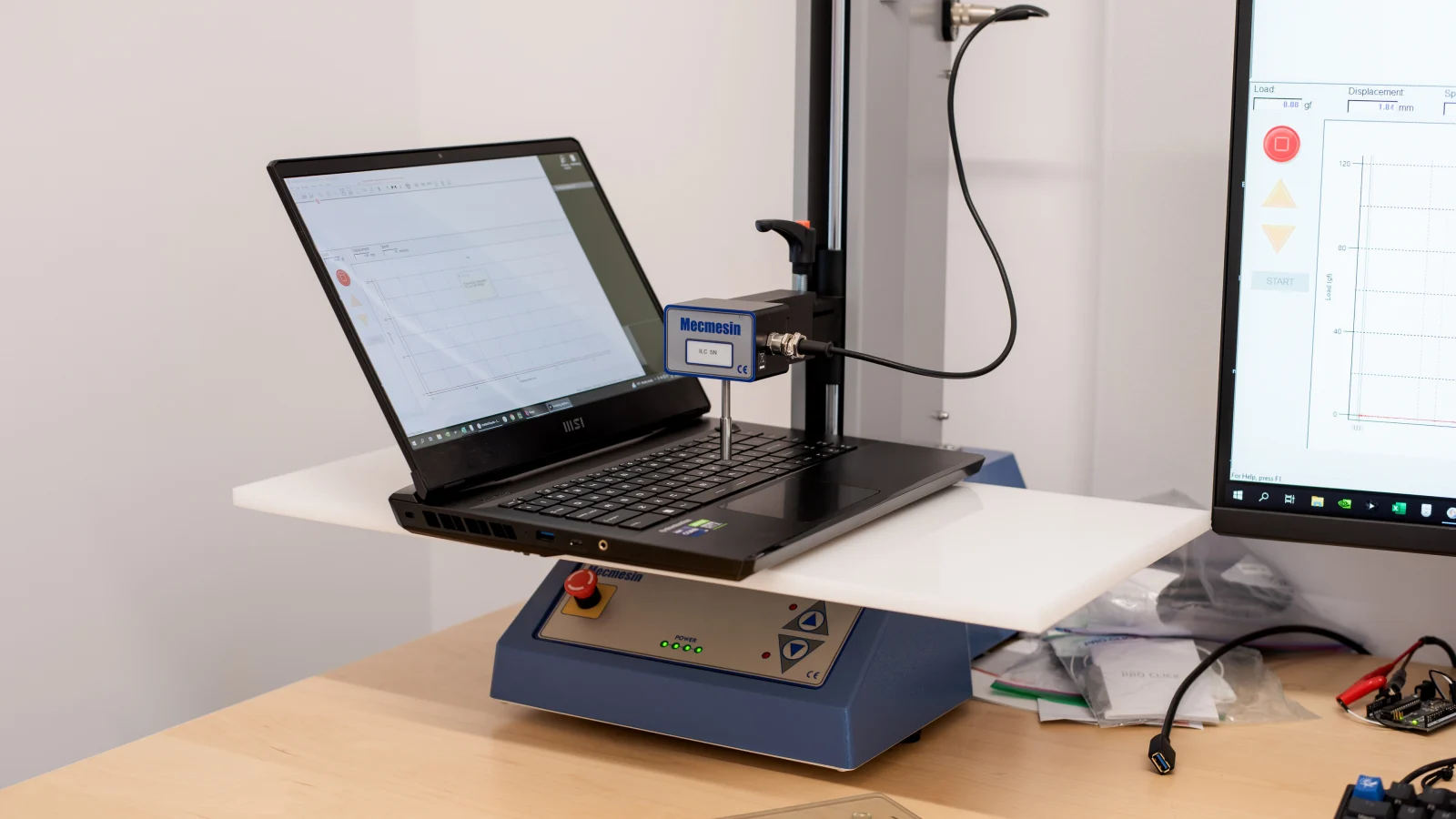
Source: RTINGS.com
Cool to touch, loud to hear, thirsty to run
| Measurement | GE67HX | Reference | Verdict |
|---|---|---|---|
| Keyboard deck, max under load | 34.4 °C | Class avg 40.4 °C | COOL |
| Bottom panel, max under load | 42.0 °C | Class avg 43.2 °C | COOL |
| Palm rest, max | 20.4 °C | Similar devices 28.8 °C | COOL |
| Fan noise, true idle | 22.9 dB(A) | Room floor 22.7 dB(A) | SILENT |
| Fan noise, web browsing | 30–34 dB(A) | Any power profile | AUDIBLE |
| Fan noise, Witcher 3 (Extreme) | 55.7 dB(A) | 50+ = headphones | LOUD |
| Fan noise, Cooler Boost | 57.4 dB(A) | Maximum fan mode | LOUD |
| Wall draw, Witcher 3 | 237 W | GE66 drew 202 W | HIGH |
| Peak draw, Prime95 + FurMark | 291 W | 330 W adapter, 1.36 kg | HIGH |
| Battery, Wi-Fi browsing | 5h 36m | 99.9 Wh, Balanced | SOLID |
| USB-C charging | None | Barrel plug only | N/A |
Running The Witcher 3 in Extreme Performance mode produced 55.7 dB(A), rising to 57.4 dB(A) with Cooler Boost. Headphones aren't optional. Fans also stay audible in the 30–34 dB(A) range during light tasks like browsing, regardless of profile — though the machine does go effectively silent at 22.9 dB(A) when truly idle.
The keyboard is per-key RGB with shallow, ultrabook-like travel — divisive, but consistent. The webcam is a 1080p sensor with no privacy shutter and no Windows Hello.
Battery, and the power brick problem
The 99.9 Wh battery is the largest capacity that clears FAA lithium-battery limits without special approval, and it delivers about 5 hours 36 minutes of Wi-Fi browsing on the Balanced profile. For a machine this powerful, that's respectable. Recharging is slow, though — 2 to 2.5 hours from empty.
The charger is the sticking point. The GE67HX ships with a 330 W adapter weighing about 1.36 kg — up from the 280 W brick on the GE66 — and the system can't charge over USB-C. Peak measured draw under combined CPU and GPU stress hit 291 W. Total travel weight is closer to 8 lbs than 5.
If you're selling, that adapter matters more than usual. Third-party replacements at this wattage aren't cheap or common, and a GE67HX without one is meaningfully harder to move.
Upgradability is the quiet superpower
This is what separates the GE67HX from most laptops of its era. Two accessible PCIe 4.0 x4 M.2 2280 slots and two DDR5 SODIMM slots sit under the bottom panel, reachable with a Phillips screwdriver.
A 2022 machine can therefore run 64 GB of DDR5 and 4 TB of NVMe in 2026 for a couple hundred dollars. A soldered-RAM competitor from the same year can't. The EPA makes the same argument from the other end: for a computer or laptop, it recommends upgrading the hardware or software instead of buying a brand-new product, since keeping working electronics in use extends the life of valuable products and keeps them out of the waste stream longer.
One caveat: the drives have no heat spreaders, and sustained sequential reads fall from around 7,000 MB/s to as low as 1,500 MB/s during extended transfers. Adding a thin thermal pad when you install a new SSD is a worthwhile five-minute job.
What's not great
Being fair about it:
- It's loud. Nearly 56 dB(A) under gaming load is above what most people tolerate without headphones.
- It's power-hungry. The Witcher 3 pulls about 237 W at the wall versus 202 W on the GE66. Prime95 alone draws roughly 165 W against the GE66's 90 W.
- The SD reader is slow. About 83 MB/s — roughly half what the Razer Blade 15 managed with the same card.
- Thunderbolt 4 drops out in discrete GPU mode, which is easy to trip over if you rely on a TB dock.
- No frame generation. DLSS 3 and 4 frame gen need RTX 40-series or newer. On the newest, heaviest titles, this is where a modern laptop pulls clearly ahead.
- OLED risk compounds with age. A four-year-old panel that's seen heavy static-UI use may show wear.
Who should still buy one used
The GE67HX makes sense in 2026 if you want high-refresh QHD gaming without paying current-flagship prices, if you do CPU-heavy work alongside gaming, or if you value being able to open the machine and upgrade it yourself. If you're shopping that tier generally, it's worth reading how it stacks up against the current crop of gaming laptops under $1,000 before you commit.
It makes less sense if you need portability, quiet operation, or the newest ray tracing and frame generation features.
Resale value: what a GE67HX is worth today
Here's where the 2022 vintage stops being a liability.
Gaming laptops generally lose value faster than mainstream notebooks, because the spec that defines them — the GPU — is the spec that gets superseded every cycle. High-TGP Ampere hardware has been a partial exception. Performance-per-dollar on the used market is hard to beat, and the GE67HX in particular is remembered as one of the fastest 15.6-inch machines of its generation. Timing still matters, though: when you sell affects what you get, and every month a laptop sits unused is value quietly leaving the building.
What actually moves a GE67HX offer
| Factor | What to check | Effect |
|---|---|---|
| GPU tier | 12UHS (RTX 3080 Ti) carries a clear premium over 12UGS (RTX 3070 Ti) | HIGH |
| 330 W adapter | Original brick only — no USB-C charging, and replacements are scarce | HIGH |
| 240 Hz OLED panel | OLED SKUs price above the IPS trims, provided the panel is clean | HIGH |
| OLED burn-in | Run a full-screen grey image and look for HUD or taskbar ghosting | MEDIUM |
| RAM & storage | 32 GB DDR5 and 1–2 TB NVMe configurations price above the base build | MEDIUM |
| Hinge play | A common inspection finding on this chassis — open and flex the lid | MEDIUM |
| Battery health | A four-year-old 99.9 Wh cell will have measurable cycle wear | MEDIUM |
| Original box | Handy for shipping, but it doesn't change the quote | MINOR |
| Won't power on | Still purchasable — select the matching condition and the offer adjusts | ACCEPTED |
Gadget Salvation has been buying used electronics since 2008, and gaming laptops like the Raider line are a core part of what we take in. You get a firm quote in seconds by selecting your exact model and answering a few questions about condition — no listing to write, no lowball messages from strangers, no meeting a buyer in a parking lot. Shipping is a free, insured, prepaid label, and payment goes out within two business days of inspection via PayPal, Venmo, Zelle, CashApp, or a mailed check.
We also buy laptops that don't power on, have cracked screens, or have OLED burn-in. The condition you select determines the offer, and our team confirms it when the machine arrives.
Ready to see the number? Get an instant quote on the Sell MSI Laptop page, or start from Sell Gaming Laptop if you're clearing out more than one machine.
The verdict
The MSI Raider GE67HX was built around a bet that desktop-class silicon belonged in a 15-inch chassis, and that bet is exactly why it still holds up. The Core i7-12800HX remains genuinely fast, the 150 W GPU punches above its badge, and the 240 Hz OLED is still a display worth wanting.
It's loud, thirsty, and saddled with a brick of a charger. But as a used buy in 2026, few gaming laptops from its year give you this much for the money — and if you're the one selling, that's the good news, because the same reasons it's a smart used purchase are the reasons it's still worth real cash.